Turn a ChatGPT cross stitch pattern into a real chart
You asked ChatGPT for a cross stitch pattern, and it gave you something that looks like one. A grid, some colours, a hedgehog sitting there holding a mushroom. But try stitching from it and you will run into a wall.
This post shows what went wrong with one ChatGPT picture, then walks step by step through FellowStitch to turn it into a real chart you can stitch from.
What you'll make
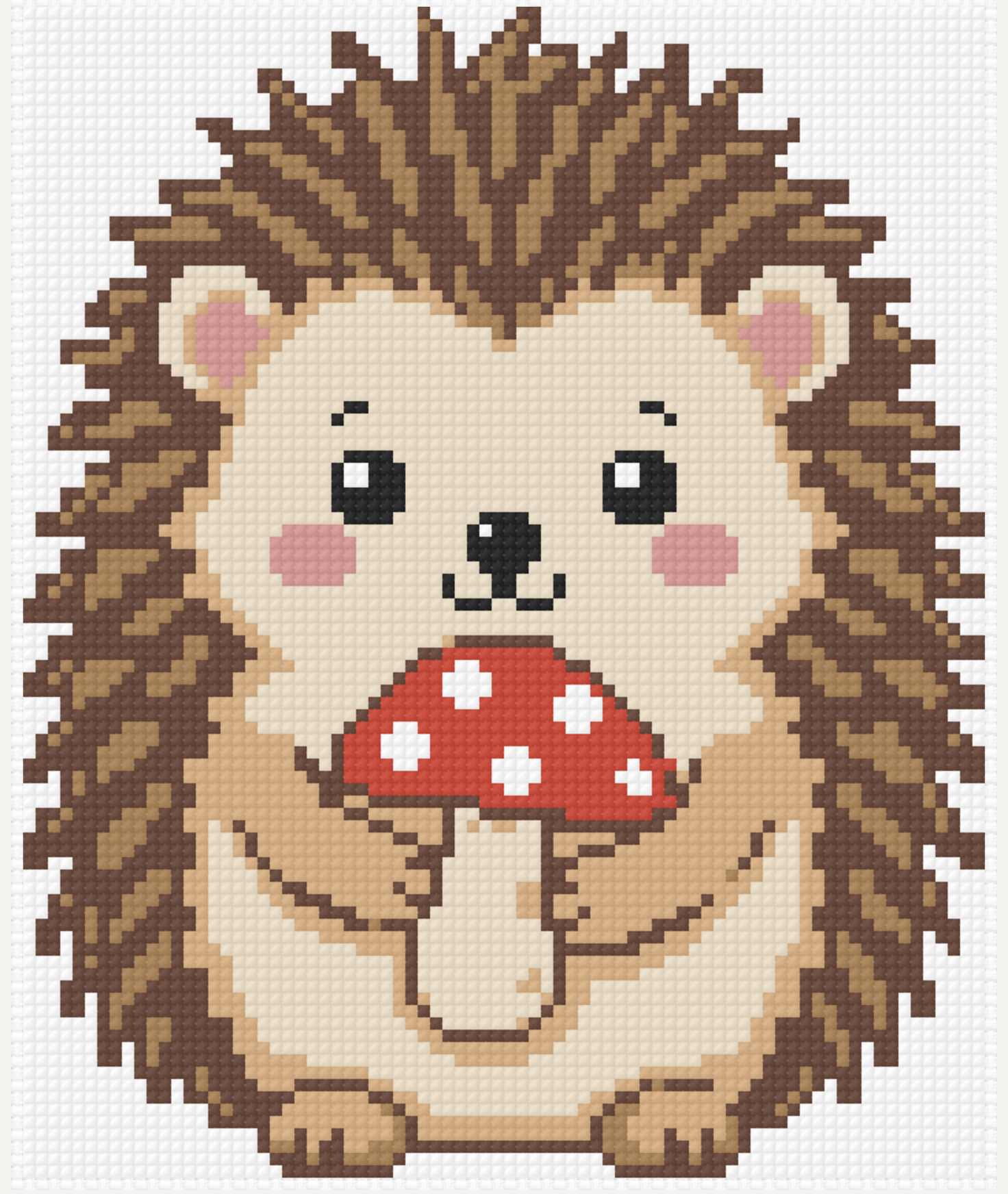
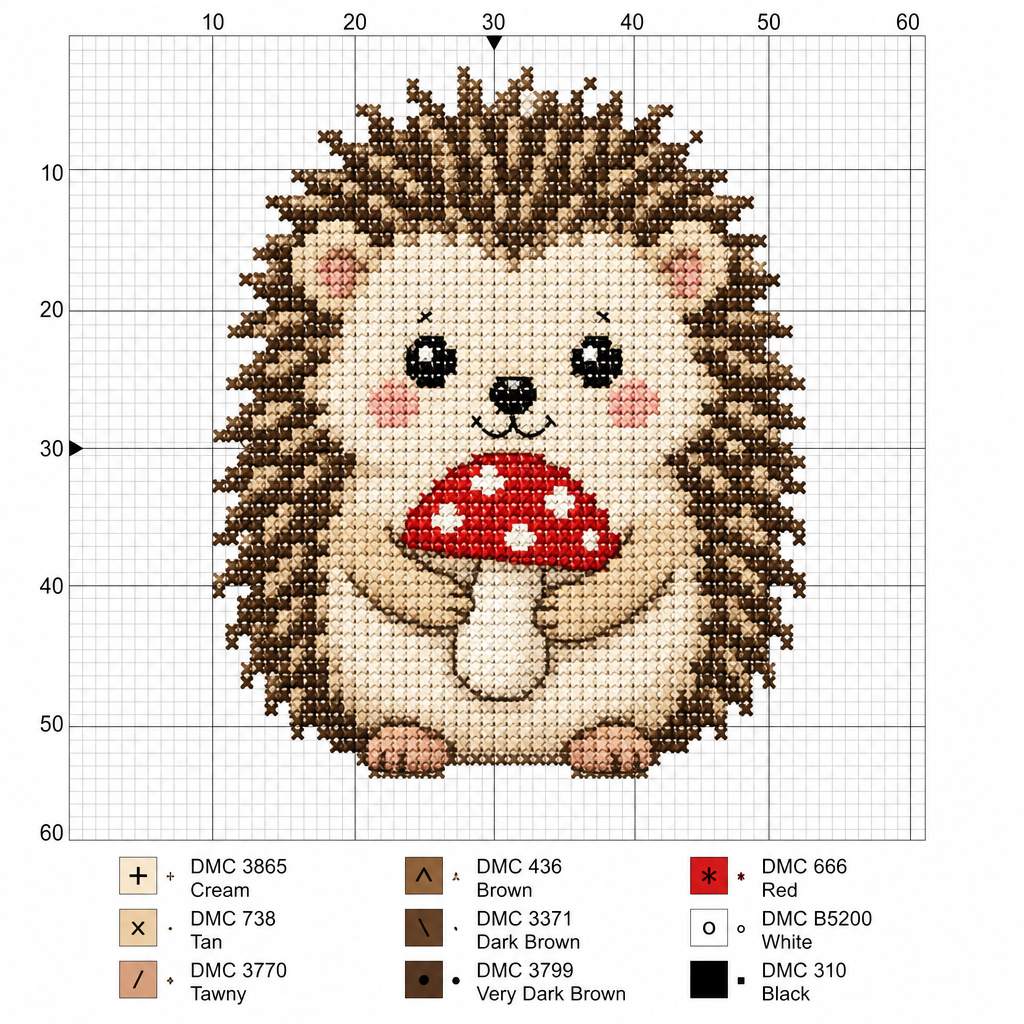
The first is the finished chart from FellowStitch, 80 x 97 stitches in 7 DMC threads. The second is what ChatGPT gave.
What ChatGPT actually gives you
We asked ChatGPT: "Create a cross stitch pattern of a cute hedgehog holding a little red mushroom." It came back with a hedgehog drawn as stitched fabric on a grid numbered 0 to 60, with a colour key of 9 DMC threads underneath.
It looks convincing at first glance. But look closer and four things are off.
The grid does not count stitches. The grid squares are about twice the size of the crosses drawn inside them. A real chart has one stitch per square. Here the grid is decoration.
The colours are not flat. Each "stitch" has thread texture and shading, light on one side and dark on the other. In a real chart, one square is one colour, no gradients.
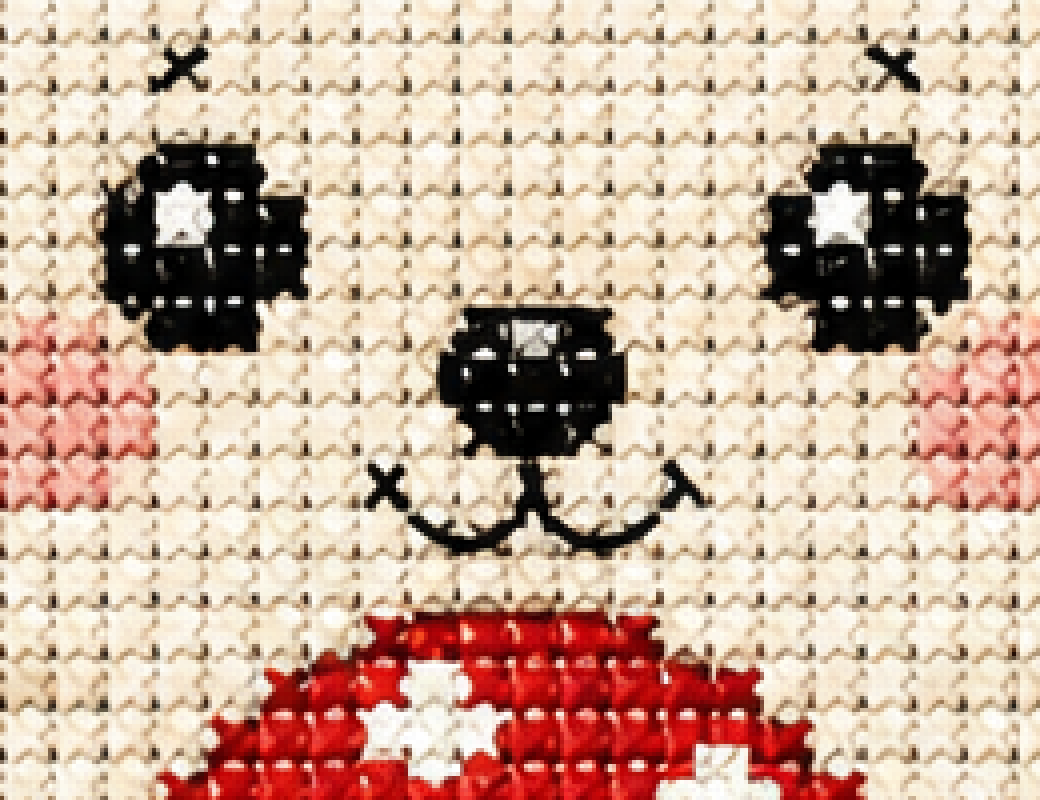
The lines are curves, not stitches. The mouth and the arm follow smooth curves that no grid can represent. In a cross stitch chart, every line snaps to the grid.
The key does not match the picture. The key lists 9 DMC threads, but the picture shows many more shades, because of the shading and texture drawn into every cross. A real key accounts for every colour in the chart.
This one ChatGPT picture had all four problems. It is a picture of what a cross stitch pattern looks like, not a pattern you can sit down and stitch from.
Step by step: from that picture to a real chart
FellowStitch's generator takes the ChatGPT picture as a reference and draws a new pattern from it, one with counted stitches, real DMC threads, and a printable chart. Here is how.
Step 1: Open the editor
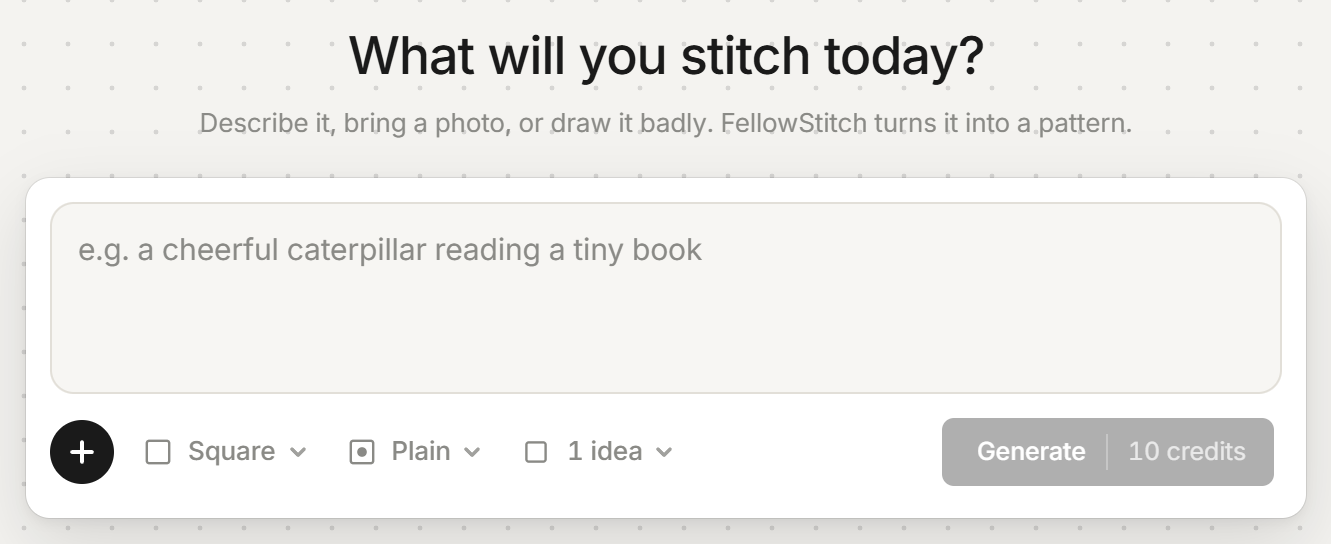
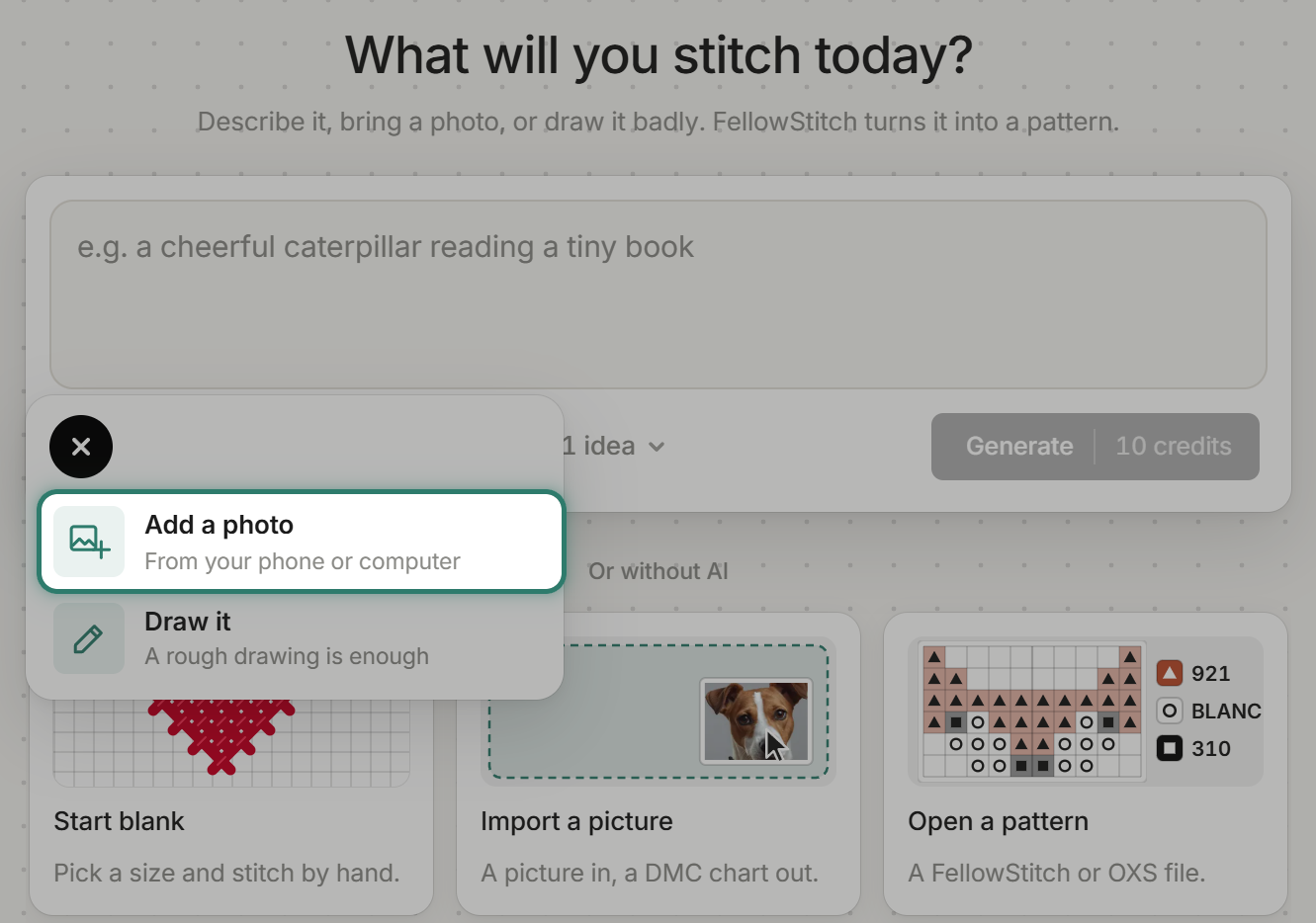
Go to FellowStitch. The start screen asks "What will you stitch today?" with "Describe it, bring a photo, or draw it badly. FellowStitch turns it into a pattern."
Generating needs a free account. A new free account gets 20 credits.
Step 2: Add the ChatGPT picture
Press "+", then "Add a photo" ("From your phone or computer"). You can also drop the picture straight on the box. PNG, JPG or WebP, up to 10 MB.
Step 3: Crop off the key and numbers
The crop opens at once: "Drag a corner to resize, or drag inside to move."
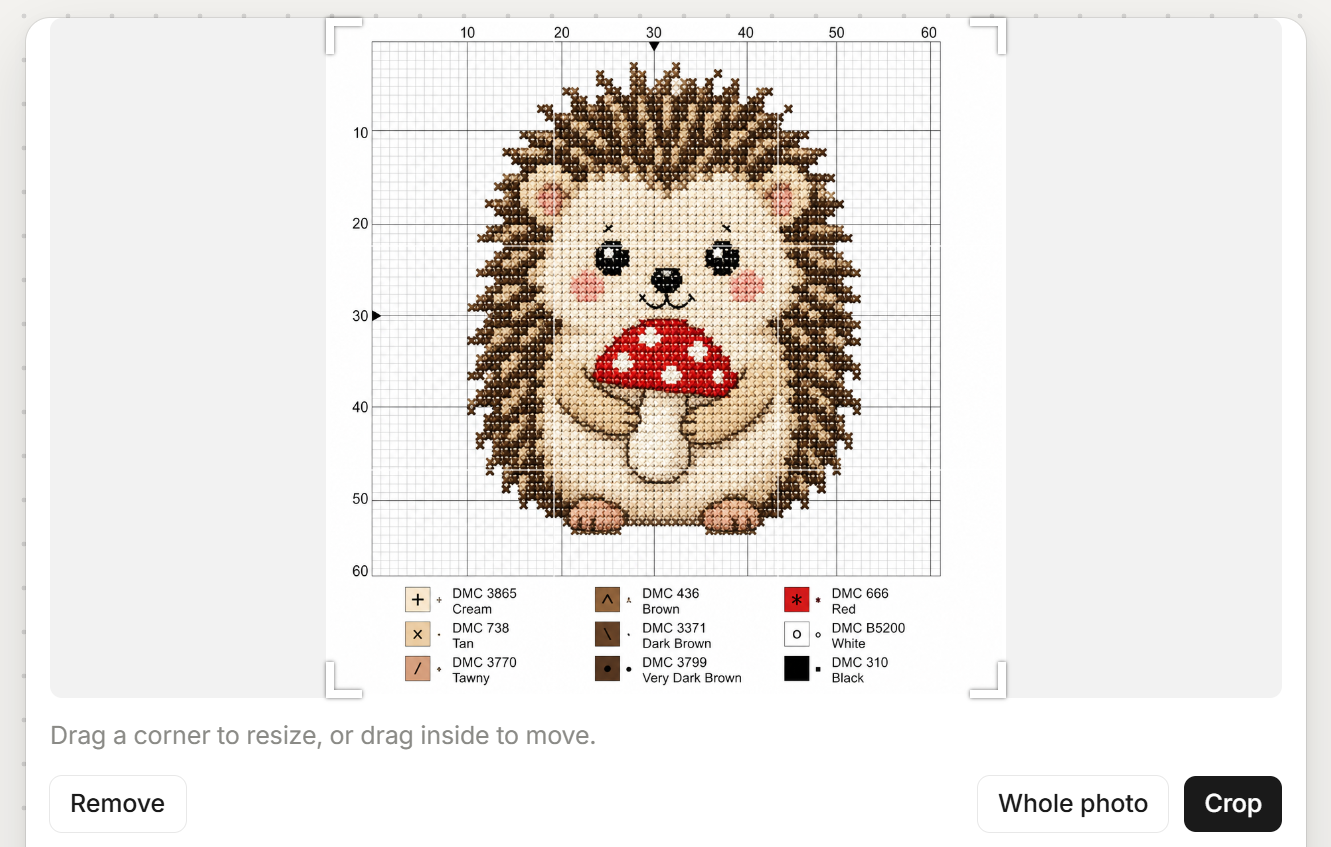
This is the key tip. Crop off the colour key at the bottom and the numbers along the edges. Keep only the hedgehog.
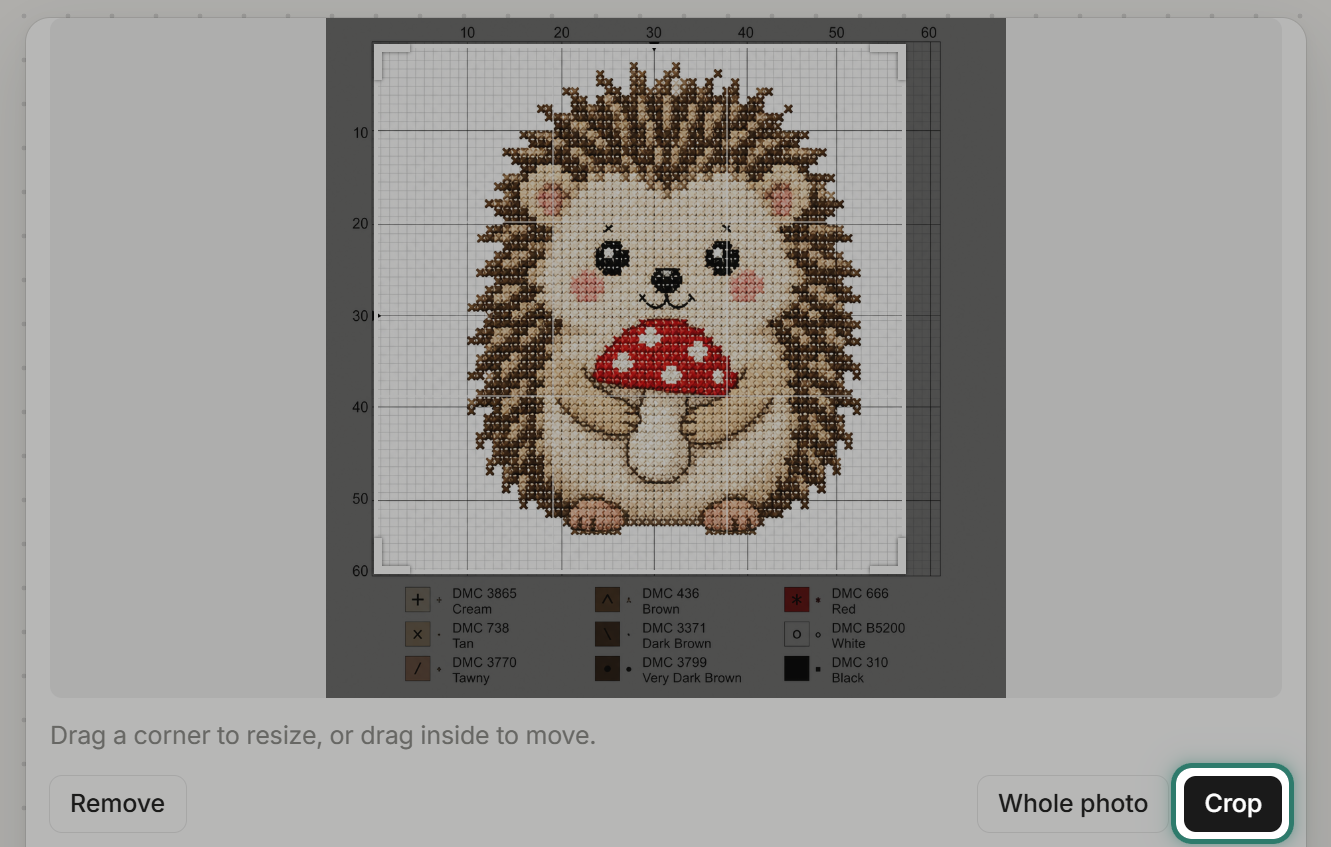
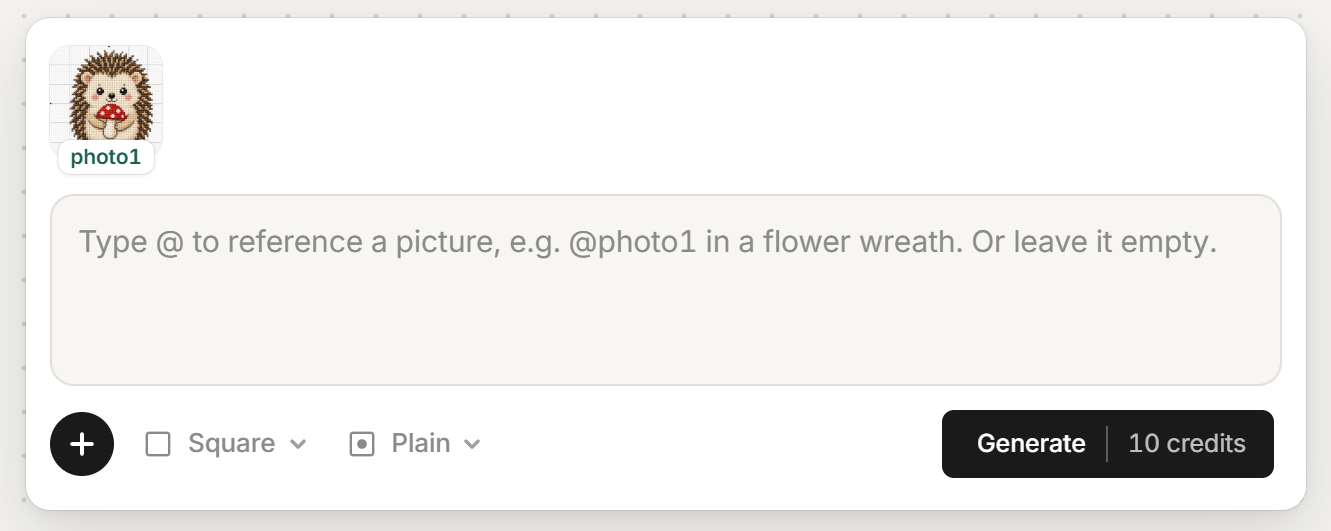
After cropping, the box shows the picture as "photo1". Words are optional. The box says "Type @ to reference a picture, e.g. @photo1 in a flower wreath. Or leave it empty." We left it empty.
Tip: always crop off anything that is not the subject, keys, borders, text, numbers. The generator reads everything in the picture.
Step 4: Pick the shape and background
Two chips sit below the box.
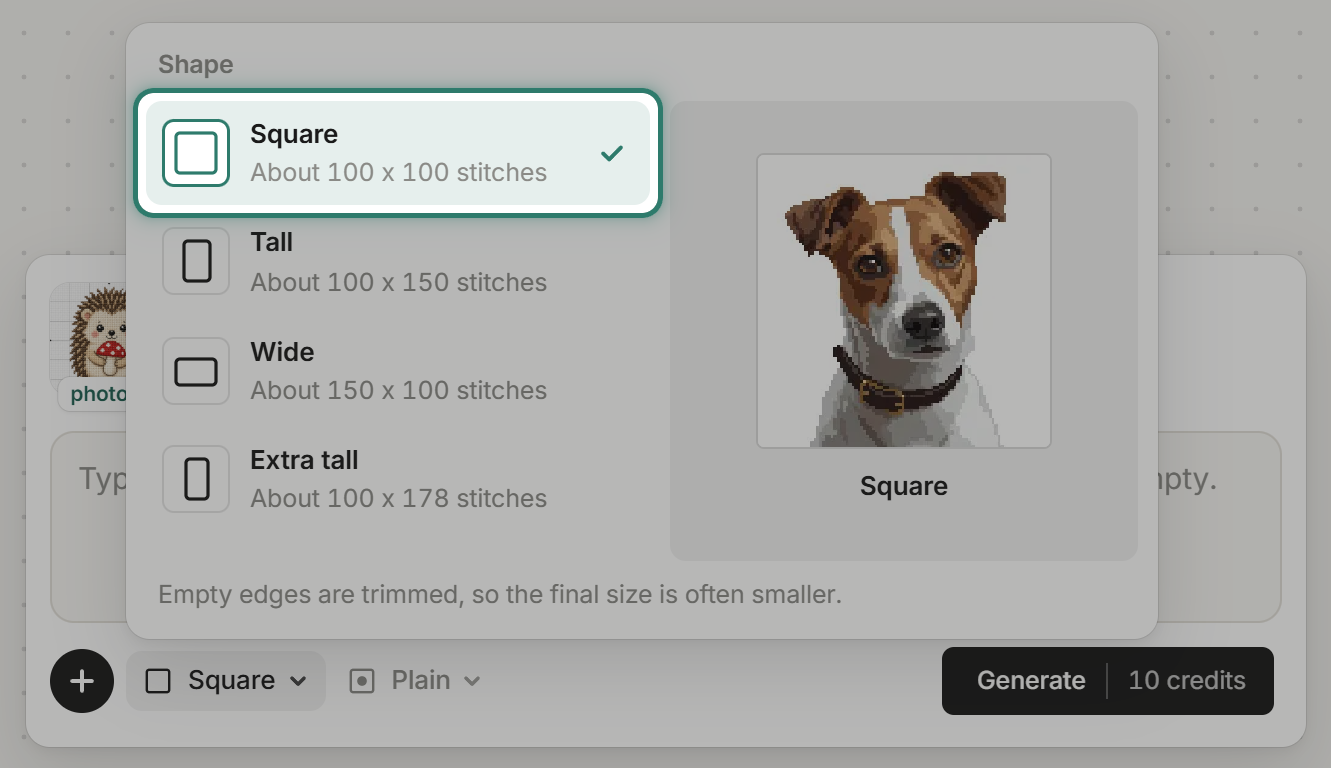
Shape: Square, Tall, Wide, or Extra tall, each about 100 stitches on its short side. Square is about 100 x 100. "Empty edges are trimmed, so the final size is often smaller."
Background: "Plain" ("Just the subject. The cloth shows around it.") or "Scene" ("A full picture that fills the pattern edge to edge.").
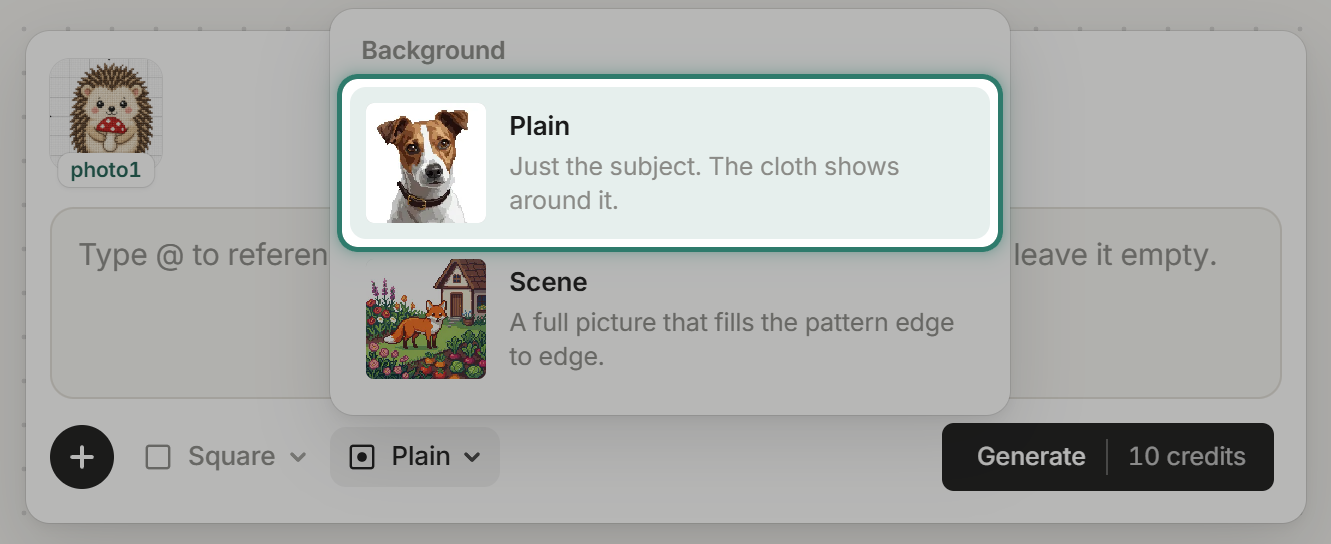
We used Square and Plain.
Step 5: Generate
Press "Generate". It costs 10 credits. While it works: "Drawing your pattern. About a minute."
If a run fails, the credits come back.
Step 6: See the result
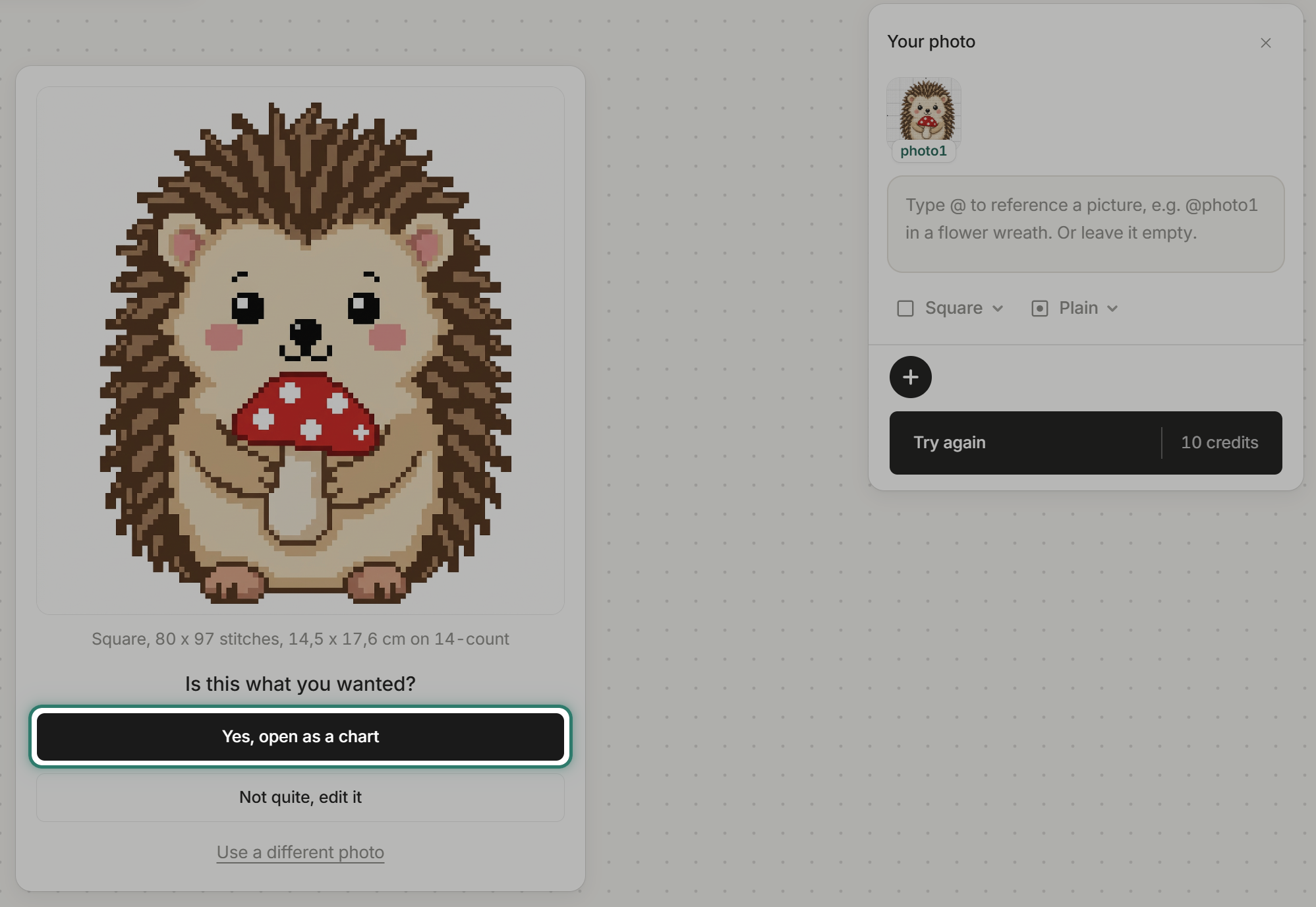
The result: "Square, 80 x 97 stitches, 14,5 x 17,6 cm on 14-count." Below it: "Is this what you wanted?" with three choices. "Yes, open as a chart" opens it in the editor. "Try again" runs it again for another 10 credits.
Step 7: Open as a chart
"Yes, open as a chart" opens it in the editor: 80 x 97 stitches, 8 DMC threads (801, ECRU, BLANC, 738, 3045, 900, 224, 310), on 14 ct white Aida. Setup shows a green tick: "A grid was found. It will stitch cleanly."
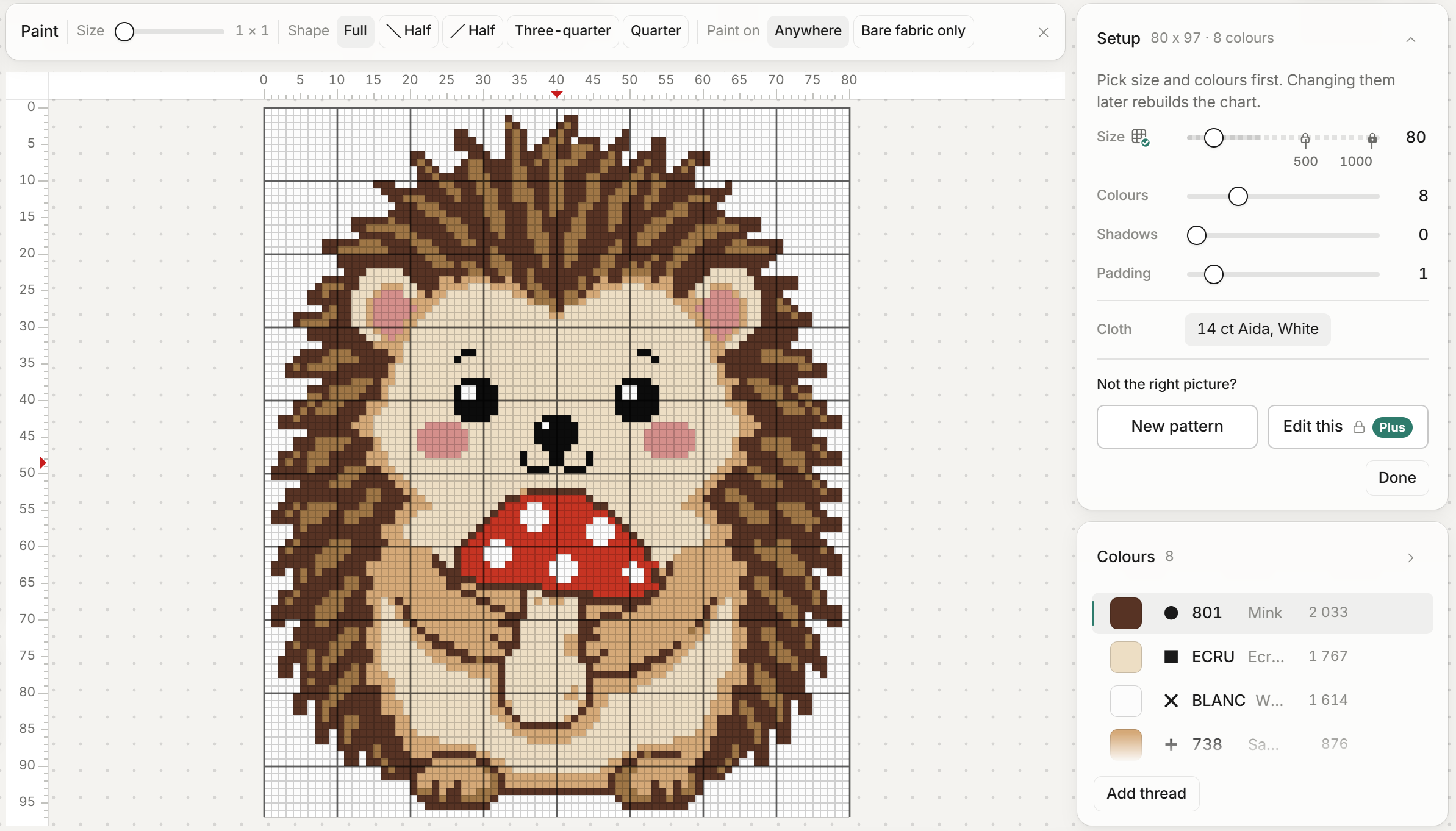
This is already a real chart. Every stitch sits on the grid, and every colour is a DMC thread.
Step 8: Tidy it
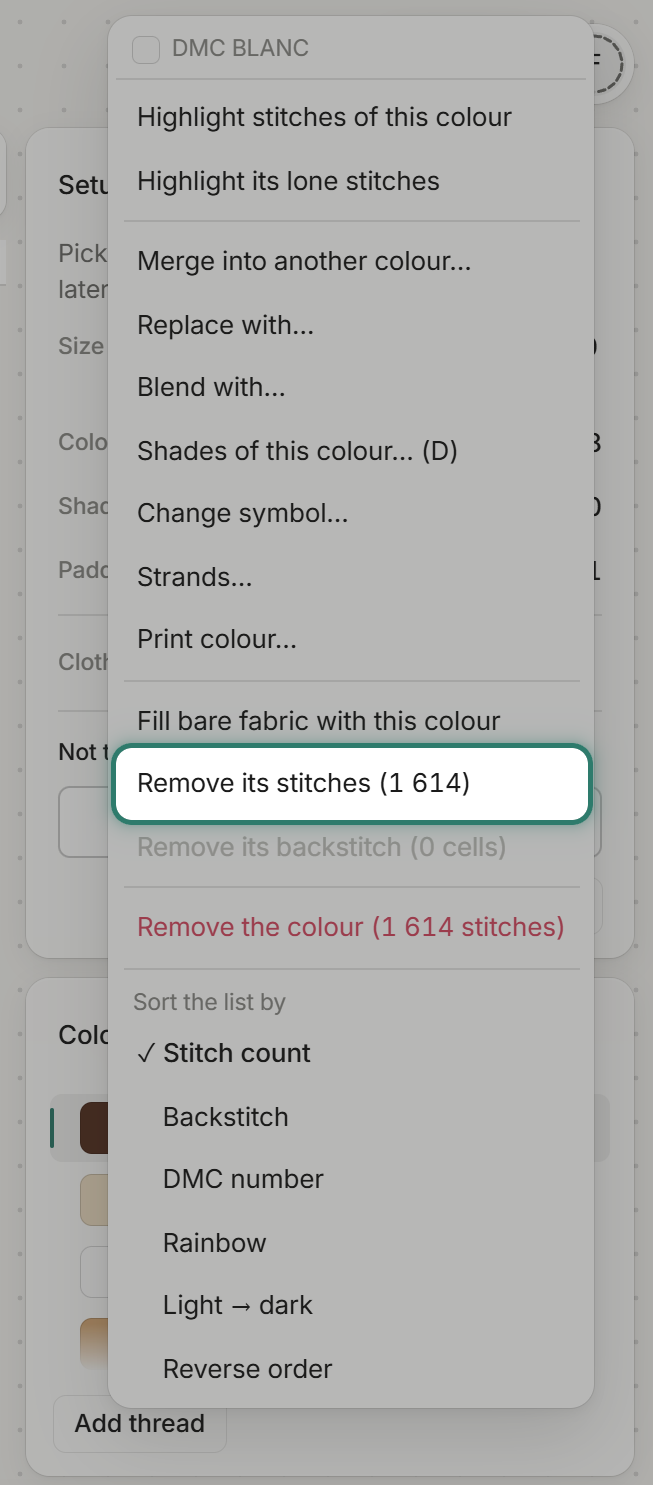
The white around the hedgehog came in as 1 614 BLANC stitches. On white Aida, that is cloth you would stitch for nothing.
Open BLANC's menu in the Colours list and choose "Remove its stitches (1 614)".
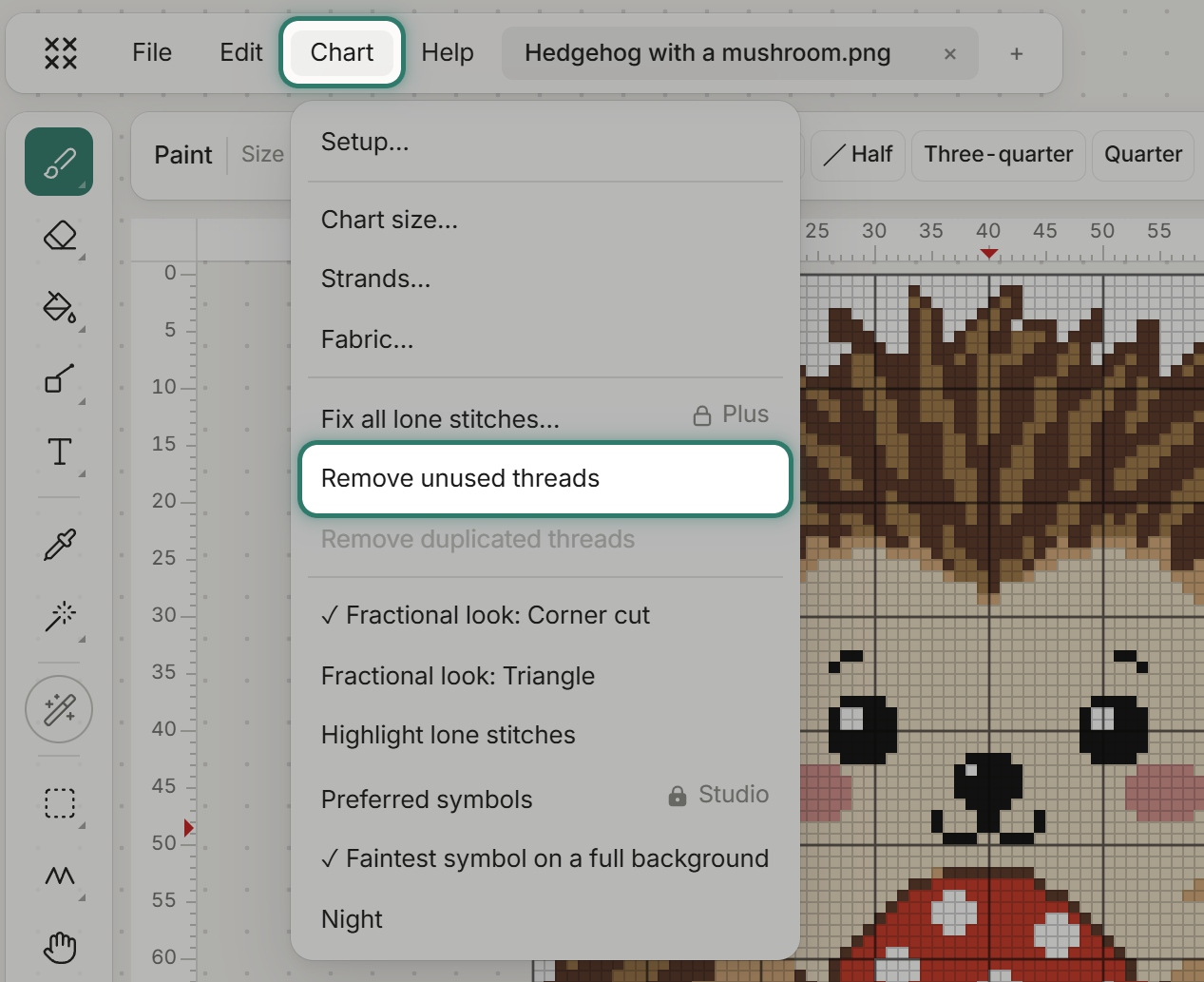
Then open Chart and choose "Remove unused threads". That drops BLANC and leaves 7 threads.
For more ways to tidy a chart, colours, lone stitches, cropping, see How to make your own cross stitch pattern.
Step 9: Export
Open Export. The PDF comes in several editions: split across pages, whole chart on one page, or symbols only. Pick Letter or A4. The editor can also save an .oxs file and a Stitched view .png.
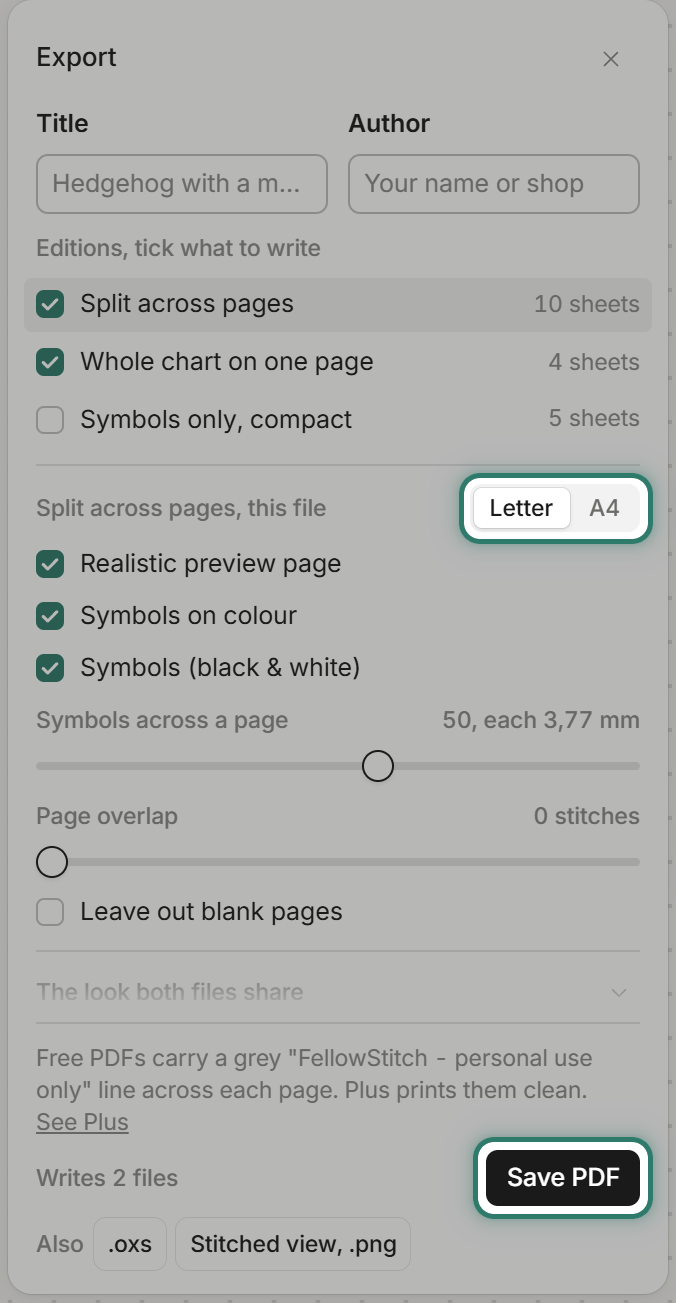
Printing needs a free account. On Free, your first 3 patterns print at no cost, then each new pattern costs 10 credits. Free PDFs carry a light grey diagonal line, "FellowStitch - personal use only", across each page. Plus and Studio PDFs have no watermark, and you can sell what you make.
What it costs
A free account starts with 20 credits. One pattern costs 10 credits to generate. That is two patterns to try.
If a run fails, the credits come back.
Plus and Studio come with 250 and 500 credits a month. See the plans on the pricing page.
Common questions
Can ChatGPT make a cross stitch pattern? It can make a picture that looks like one. The one we tested could not be stitched from: the grid did not count stitches, the colours had shading inside each cross, curved lines followed no grid, and the key did not match the picture. A pattern you can stitch from needs one flat colour per square, a counted grid, and a key that matches.
Is there a free AI cross stitch pattern generator? A free FellowStitch account gets 20 credits. One pattern is 10 credits. The editor itself is free and runs in your browser.
Why crop the colour key off before generating? The generator reads the whole picture. Cropping keeps only the subject.
Can I use my own photo or a drawing instead? Yes. Press "Add a photo" for a photo from your phone or computer, or "Draw it" for a rough drawing.
Start stitching
Open the editor and try it with your own picture or idea. Generating needs a free account, which starts with 20 credits.