How to make your own cross stitch pattern
You have stitched other people's patterns and now you want to chart your own idea. This post walks through one strawberry made two ways in FellowStitch, a free pattern maker that runs in your browser.
What you'll make
A hand-drawn strawberry in 7 DMC colours, and the same strawberry converted from a photo in 23 colours.
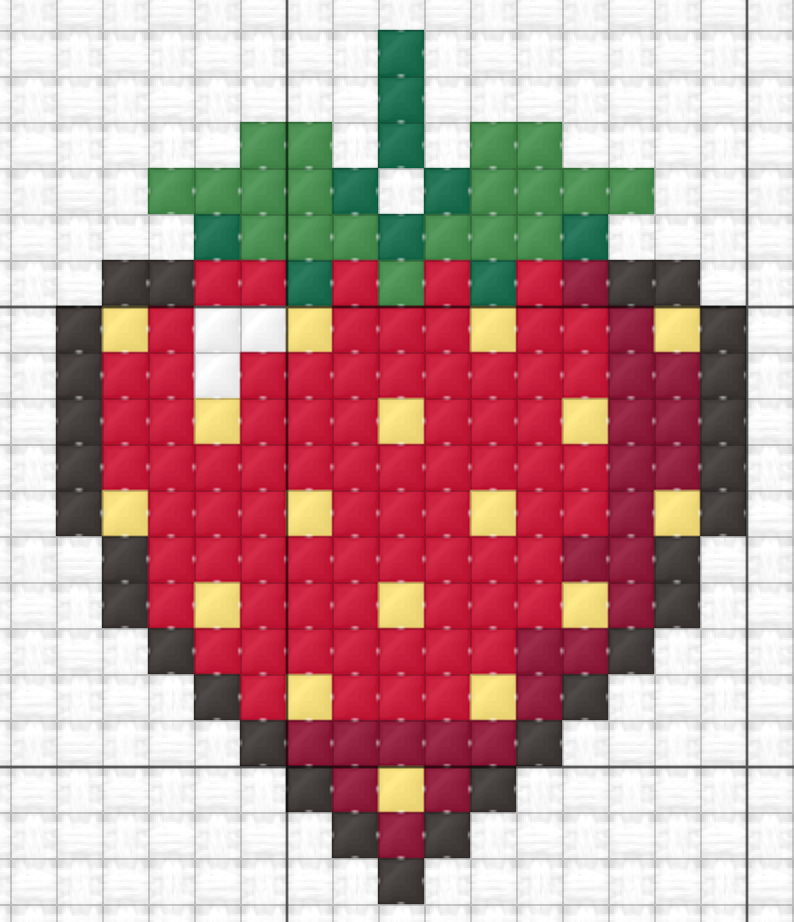
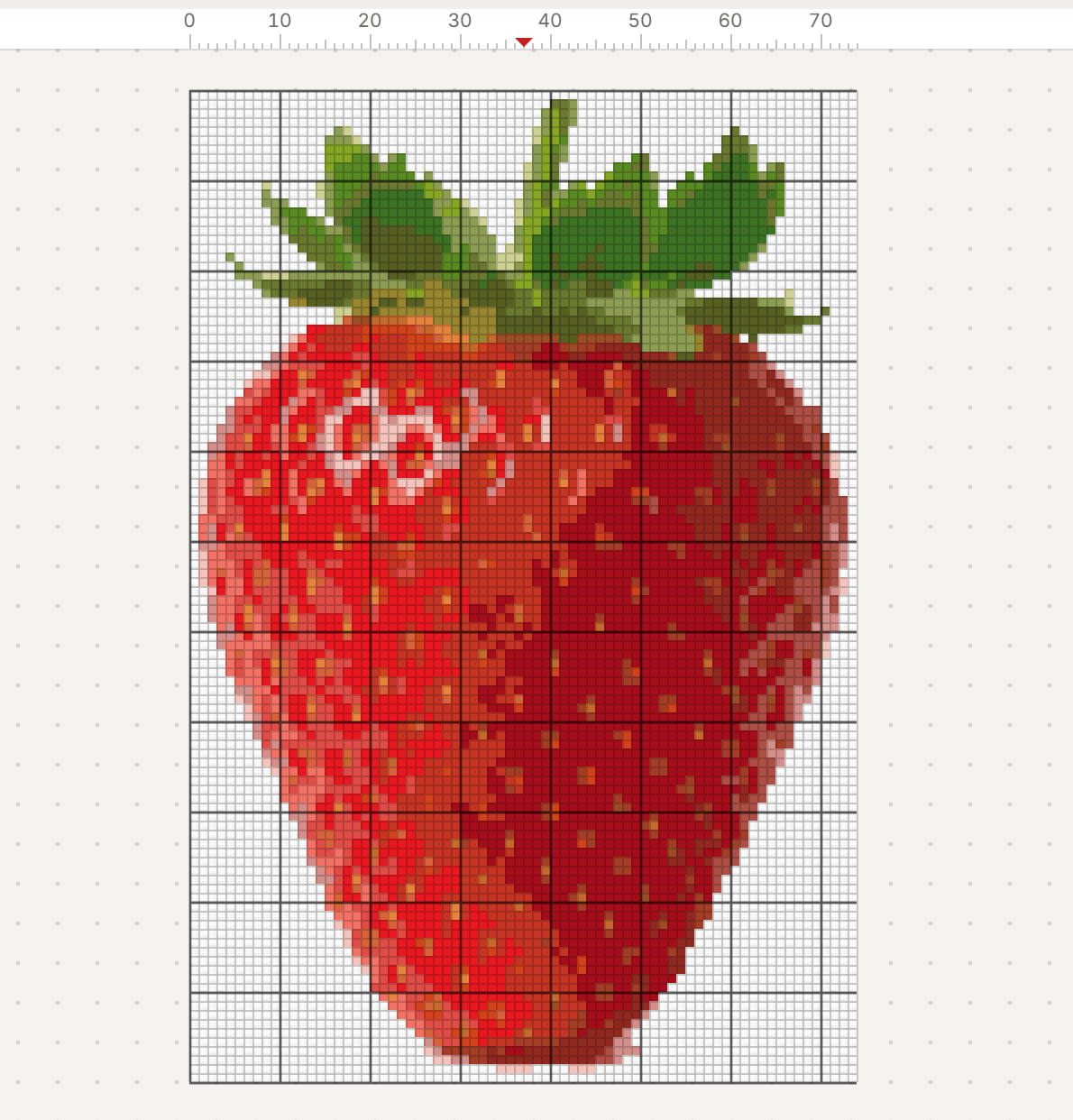
From scratch: start blank, add threads, paint, crop, preferred symbols, export. From a photo: import, set size and colours, merge colours, clear the background, crop, fix lone stitches, export.
Making a pattern is free and runs in your browser. Printing needs a free account. The free plan goes up to 300 squares on the longest side. Steps tagged (Plus) or (Studio) use a tool from that plan: on Free you can still see its preview.
Way 1: draw it from scratch
Step 1: Start a new pattern
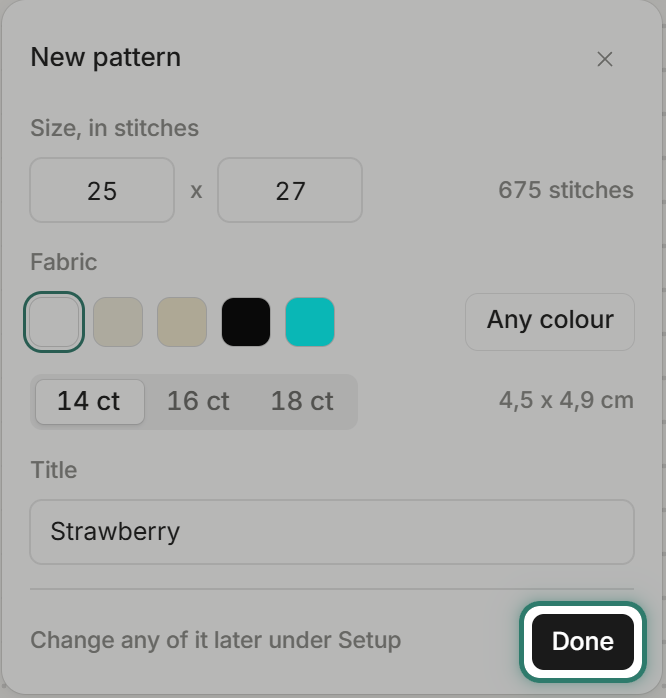
Open FellowStitch and choose Start blank. Set the grid to 25 x 27 stitches on white fabric at 14 count. The finished size shows as 4,5 x 4,9 cm. Change any of it later under Setup.
Tip: the fabric size calculator shows how large any stitch count will be on any cloth count.
Step 2: Add your threads
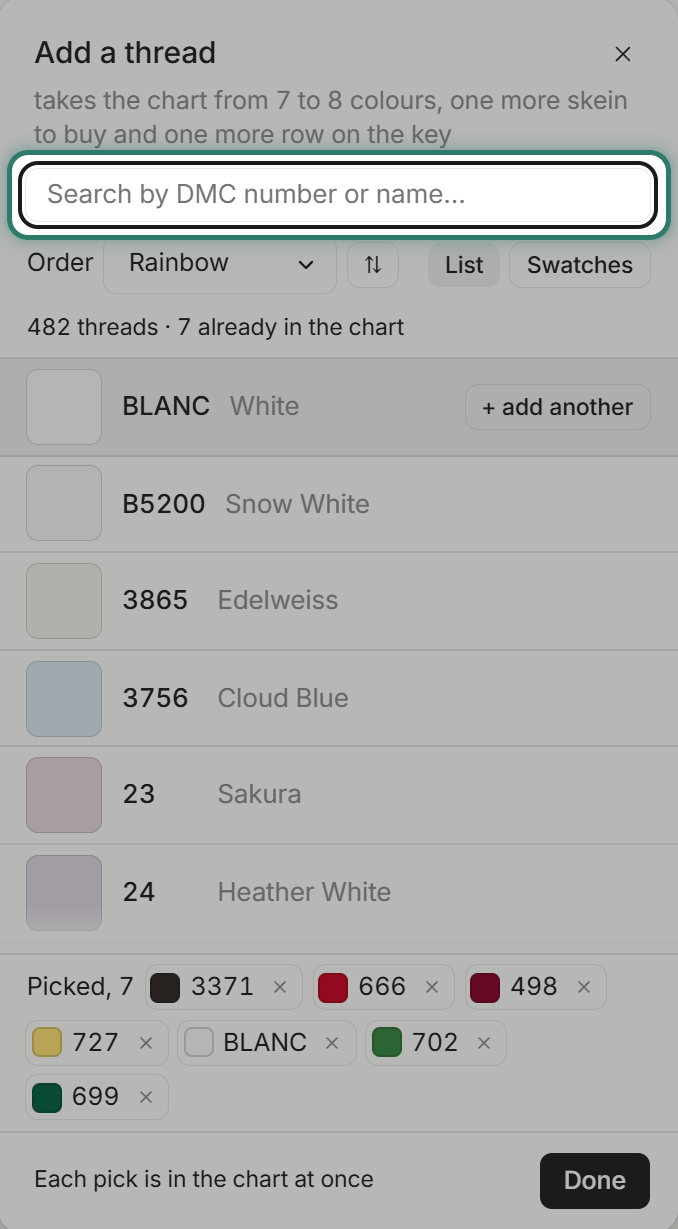
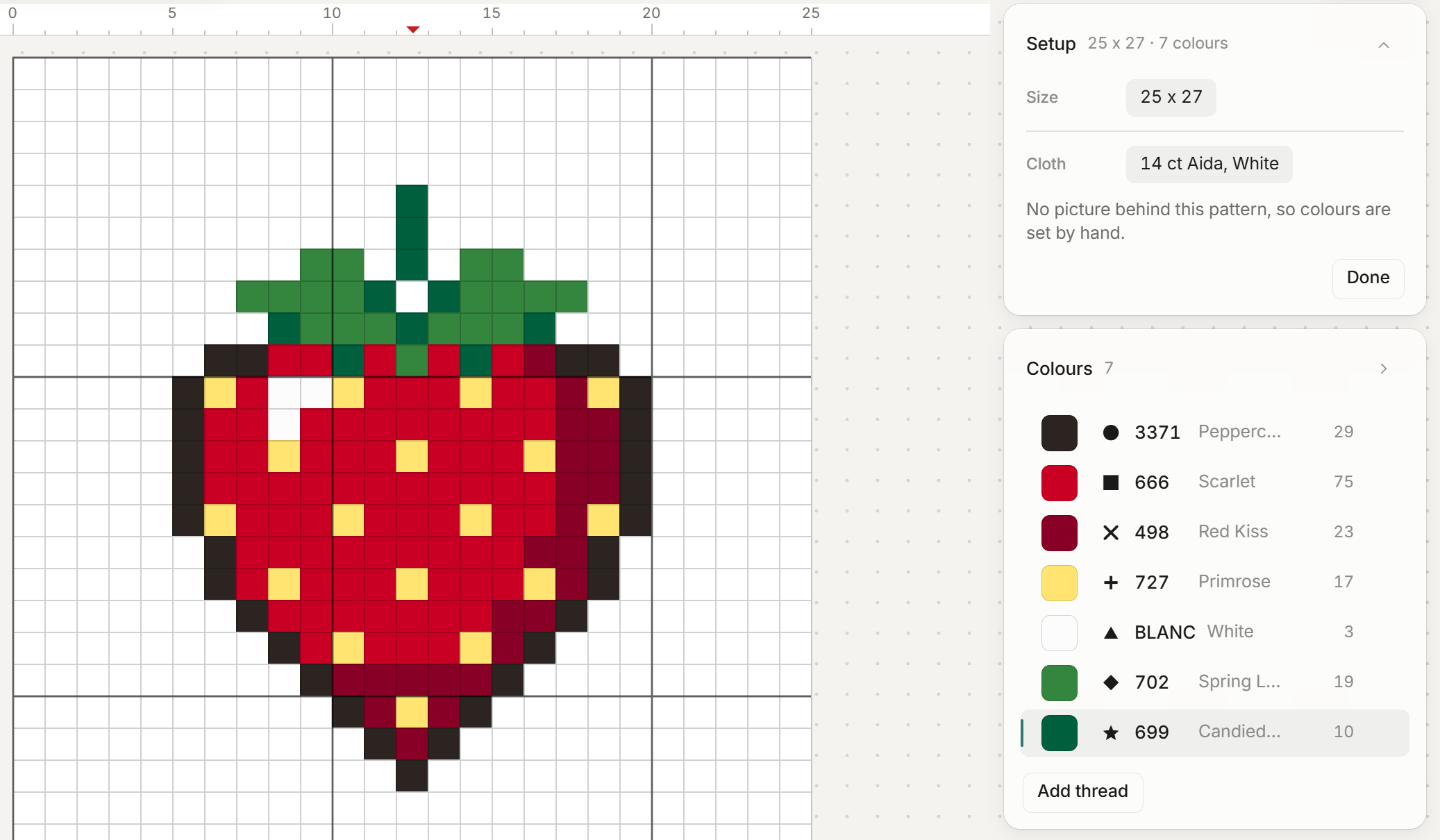
Open the thread library and add the colours you need. For this strawberry: 3371 (outline), 666 and 498 (reds), 727 (seeds), BLANC (highlights), 702 and 699 (greens). The library holds 482 DMC threads, searchable by number or name.
Tip: the DMC colour chart helps you browse threads before you open the editor.
Step 3: Paint it
Select the Paint tool, pick a colour, and click squares on the grid. Work one colour at a time.
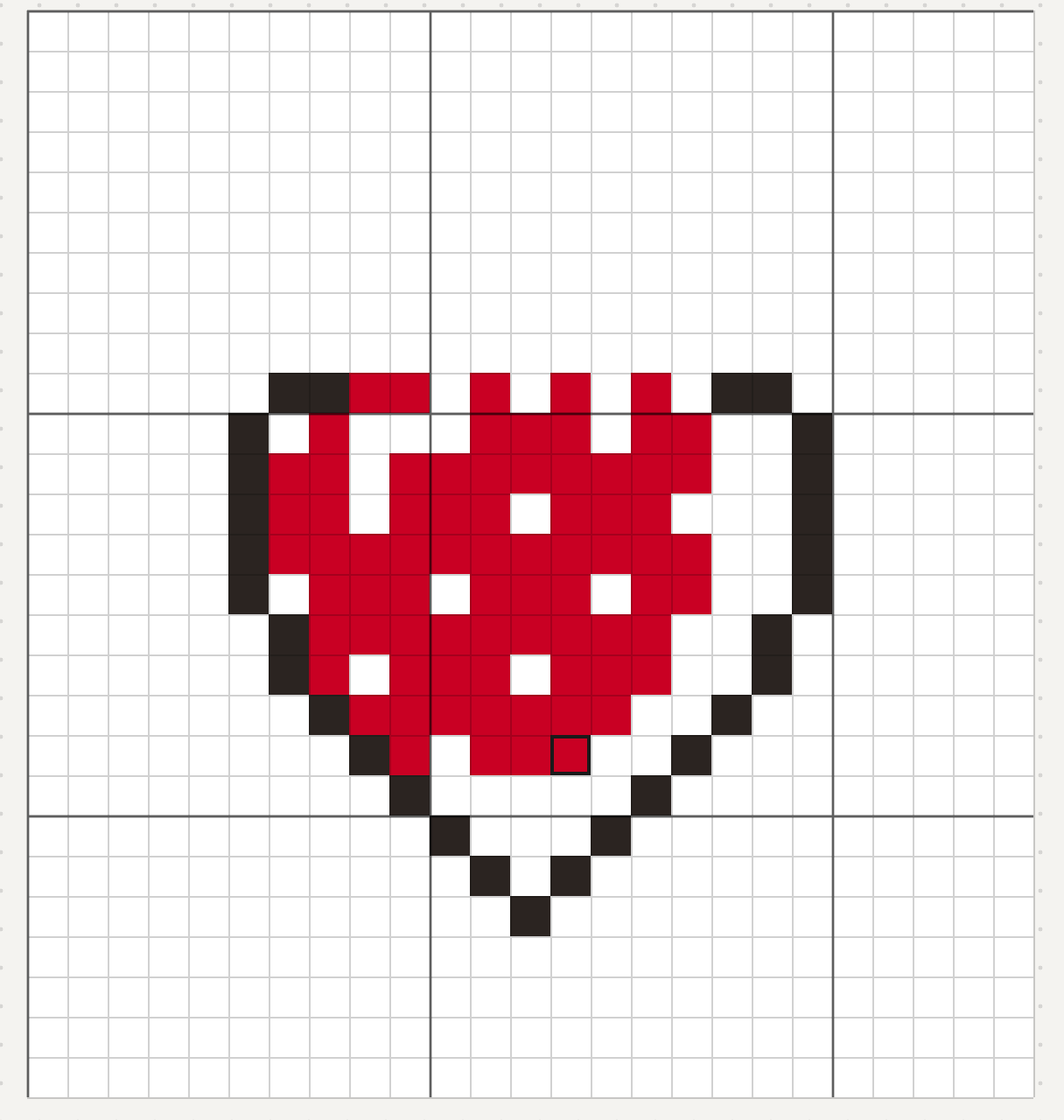
The finished strawberry is 17 x 19 stitches. The Colours list shows the stitch count for each thread.
Step 4: Crop to the design
Open Chart, Chart size. The dialog has a box for each edge: a positive number adds squares, a minus number trims.
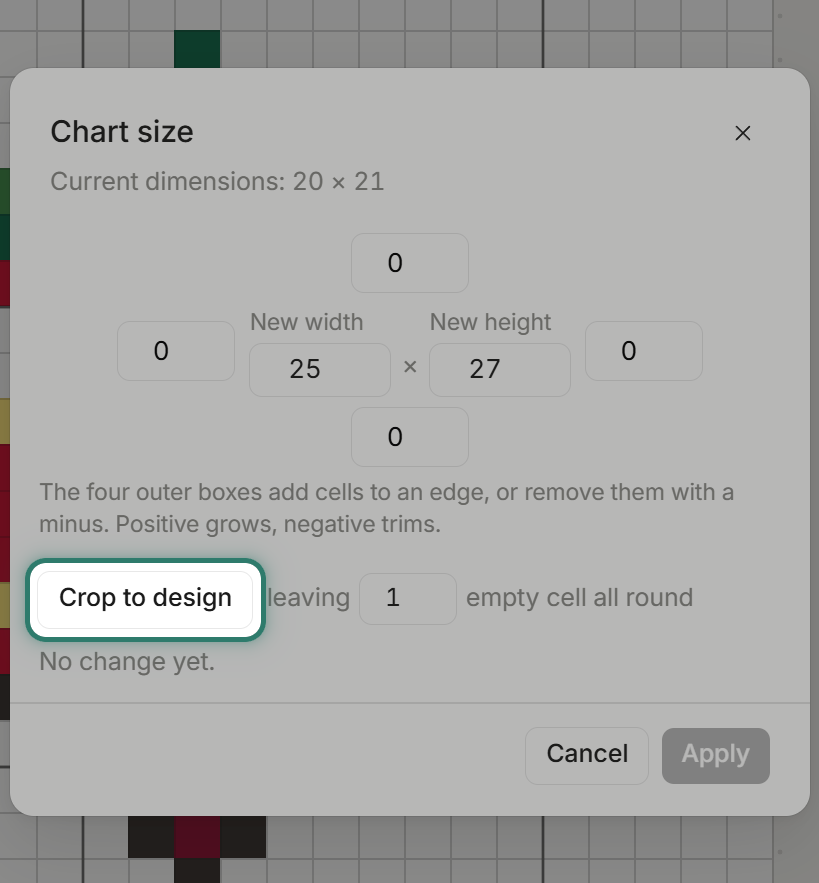
Press Crop to design. It fills the boxes to cut the empty cloth, leaving 1 empty square all round (that number can be changed). The summary reads "25 x 27 to 17 x 21, nothing is lost."
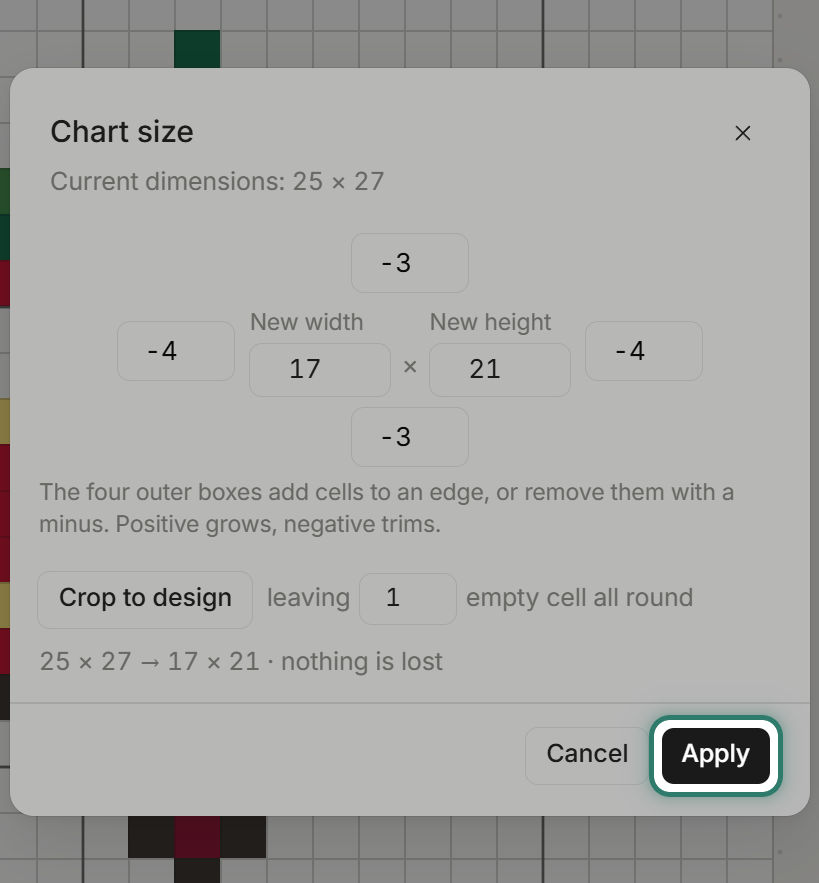
Press Apply. No blank cloth to plan around, and no blank pages when printing. Ctrl+Z undoes it.
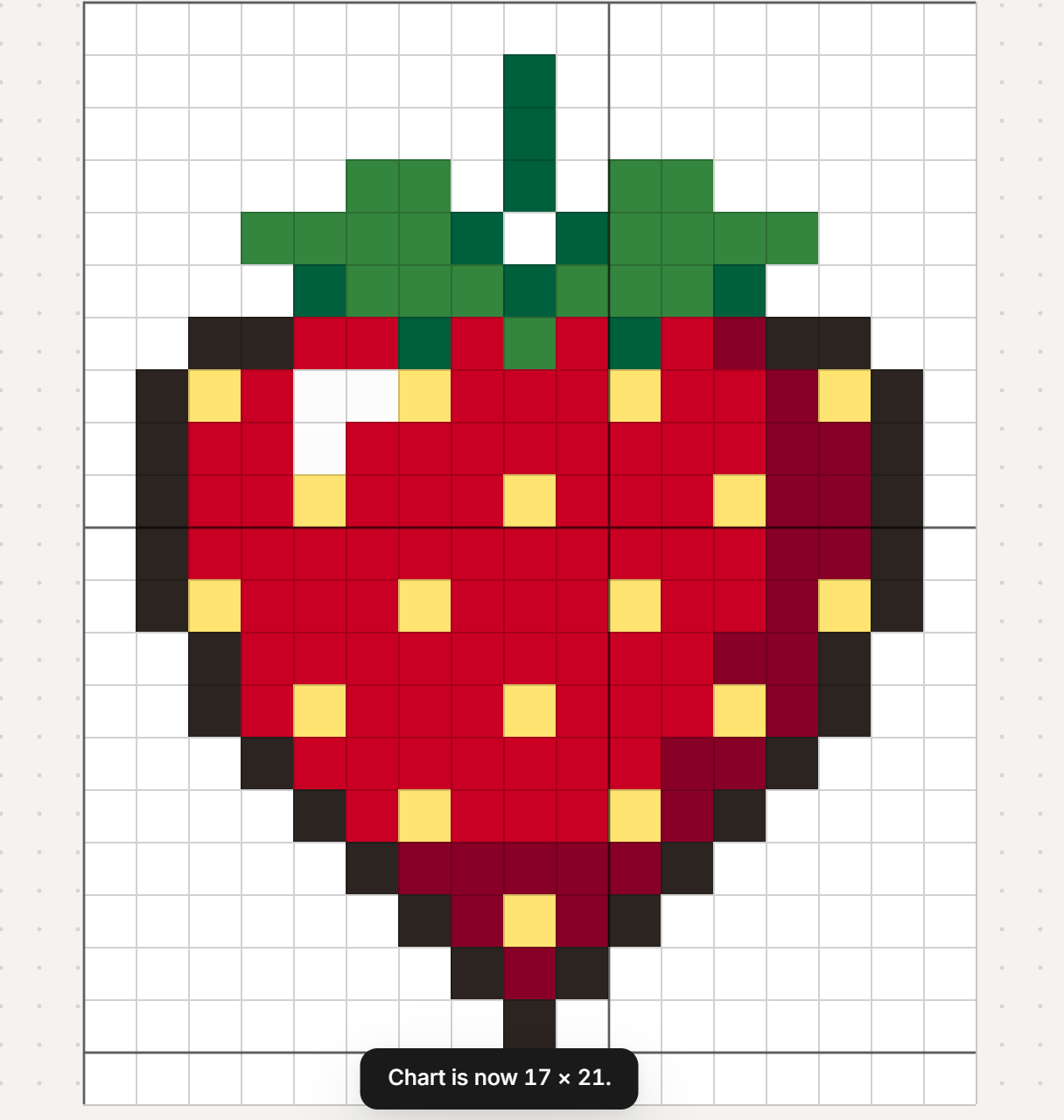
Step 5: Preferred symbols (Studio)
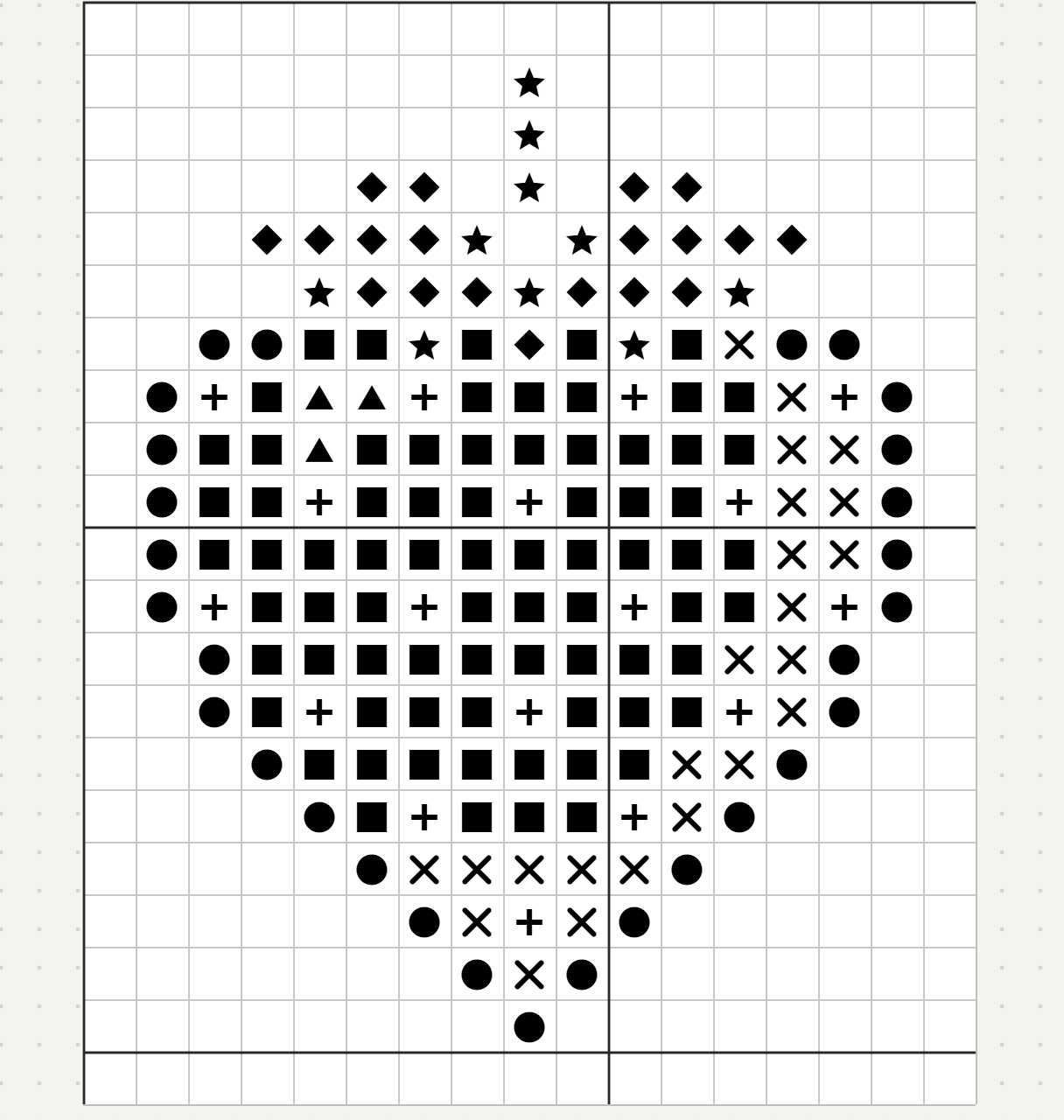
Open Chart, Preferred symbols once the design is finished. Dark threads get heavy symbols and light threads get light ones, so the black-and-white chart reads like the design. No two symbols are left looking alike at print size. Symbols you picked by hand are kept. It is one undo step.
Before: every thread has a heavy black symbol and the strawberry shape is hard to see.
After: the dark outline is solid, the reds are light open symbols, and the strawberry reads clearly.
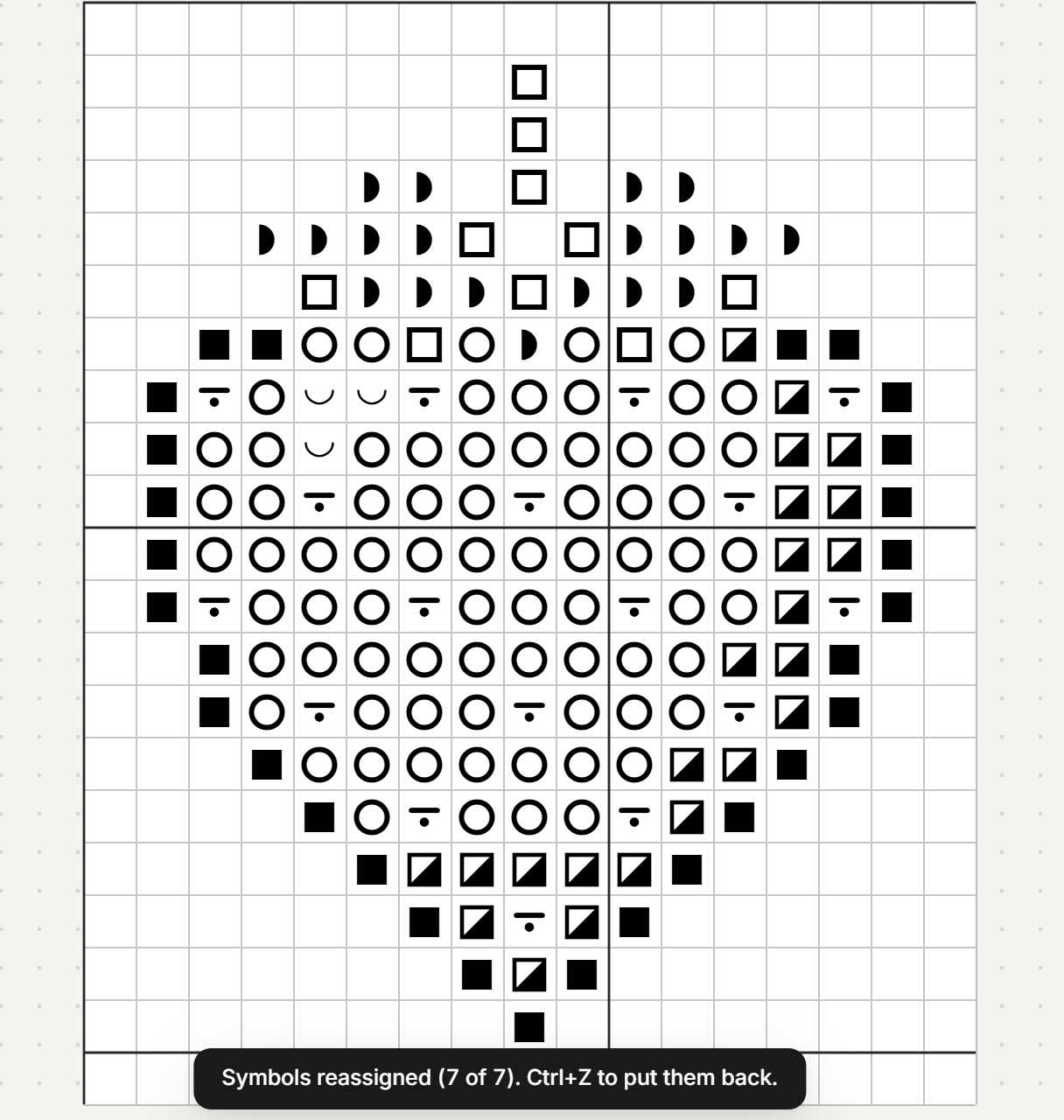
On Free and Plus, the editor shows how many symbols would change and offers Apply with Studio.
Step 6: Export
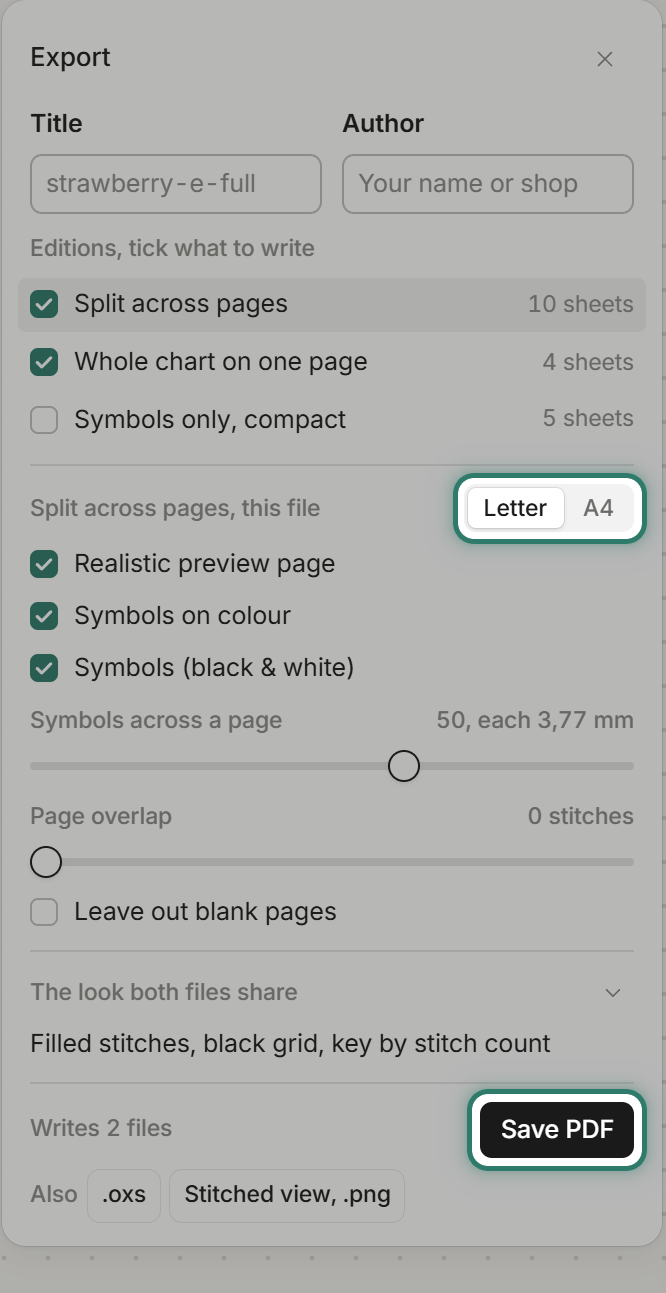
Open Export. The PDF comes in several editions: split across pages, whole chart on one page, or symbols only (compact). Pick Letter or A4. The editor can also save an .oxs file and a Stitched view .png.
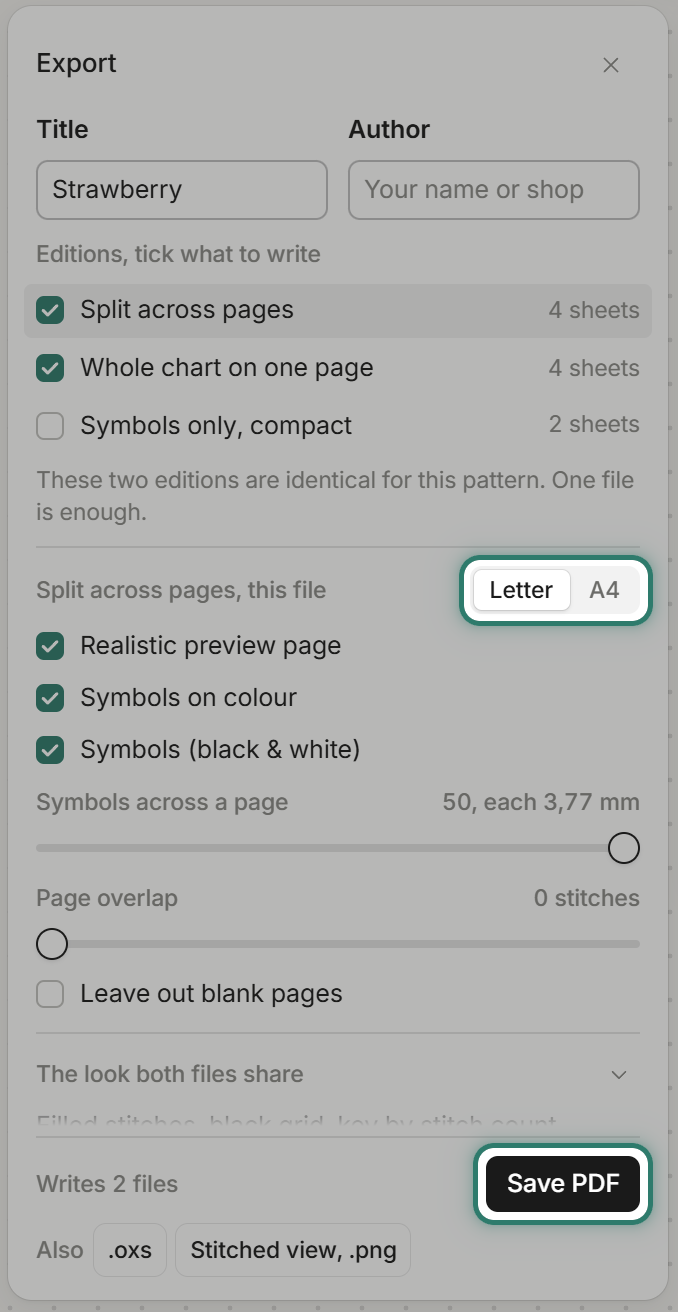
Printing needs an account, which is free to make. On Free, your first 3 patterns print at no cost, then each new pattern costs 10 credits. Free PDFs carry a light grey diagonal watermark, "FellowStitch - personal use only", across the pages. Plus and Studio PDFs have no watermark.
Way 2: make it from a photo
Step 1: Import the photo
Open a strawberry photo in the editor: File, Open image, or drop it on the canvas. The editor reads the photo, picks DMC threads, and shows Setup sliders for Size, Colours, Shadows, and Padding.
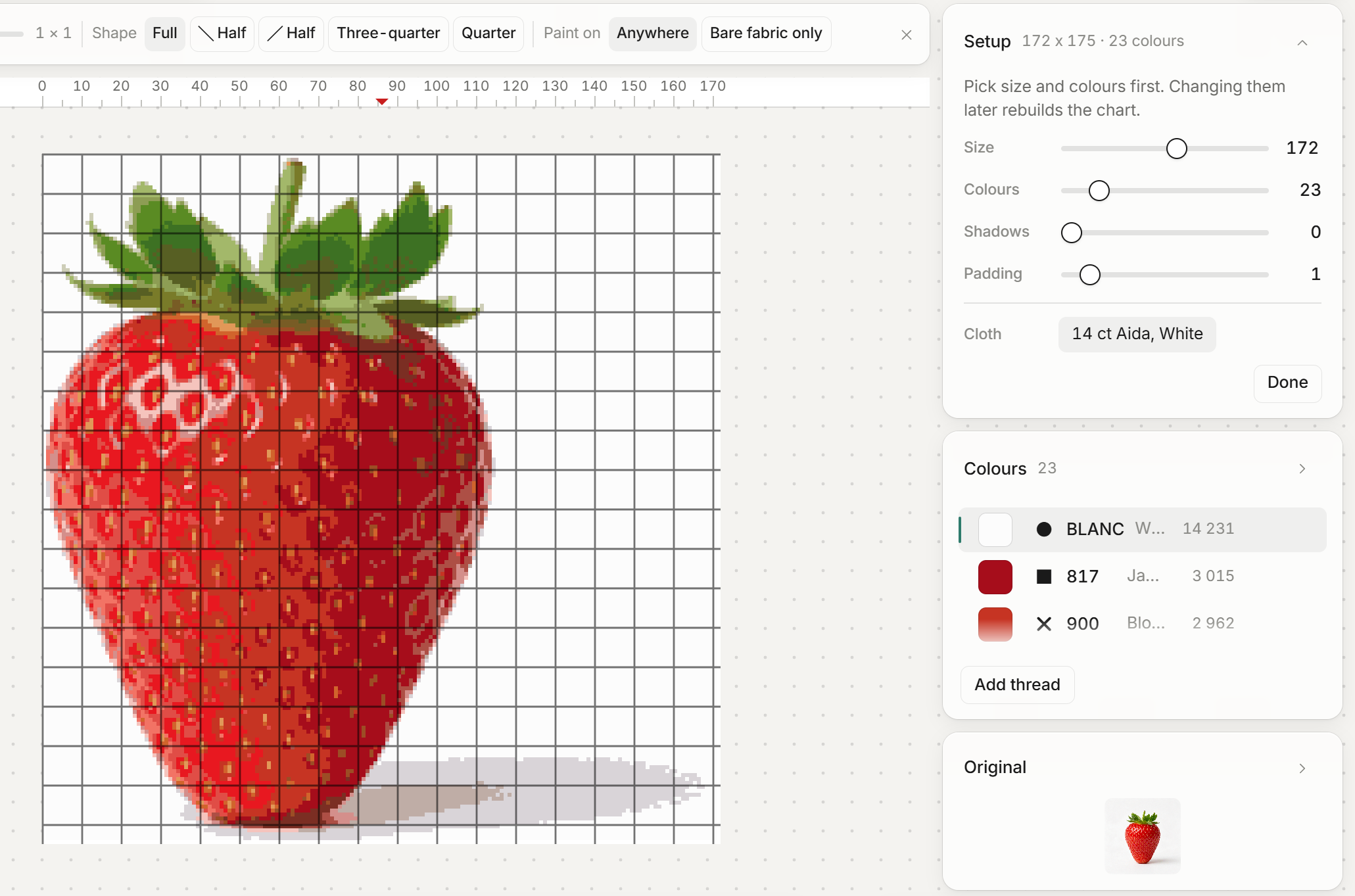
Tip: pick a photo with even light and a plain background. A side-lit photo with a cast shadow leaves a dark band in the chart once the shadow colours are cleared.
Step 2: Set the size and colours
Set Size to 110 stitches wide and Colours to 30.
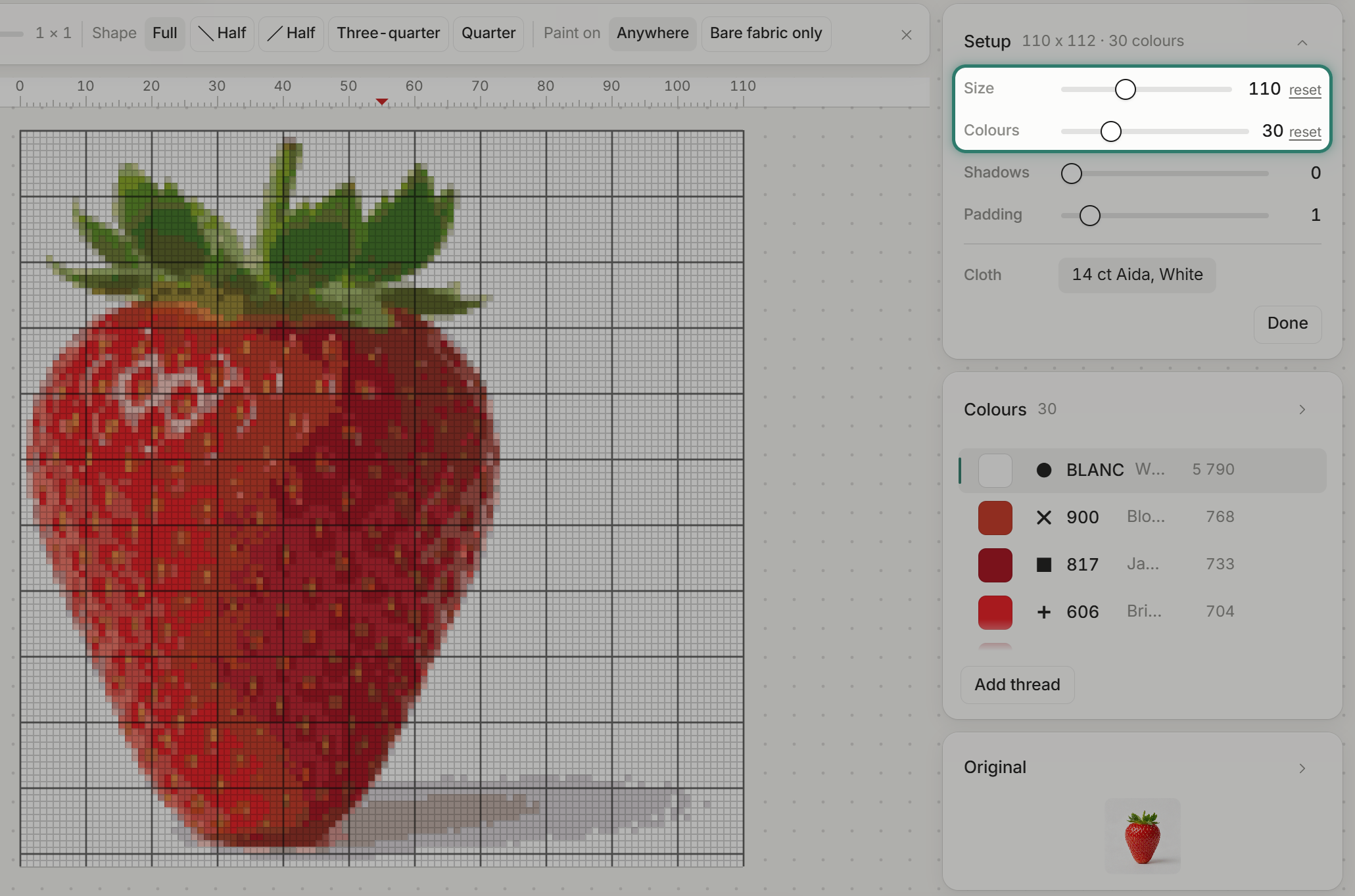
Tip: a photo needs more stitches than you might think. An earlier try at 60 wide with 15 colours lost the seeds and the leaf shapes entirely. Start larger and trim later. The Shadows slider adjusts dark tones and is a Plus feature.
Step 3: Merge near-identical colours
Open a thread's menu in the Colours list and choose "Merge into another colour". For this strawberry: two reds (349 into 817) and two pairs of leaf greens. See how to reduce the colours in a cross stitch pattern.
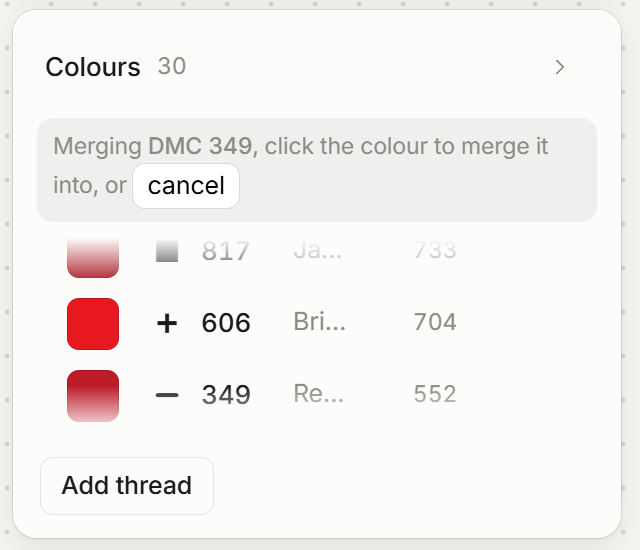
Tip: merge before the cleanup steps below, because a merge rebuilds the chart from the photo.
Step 4: Clear the background
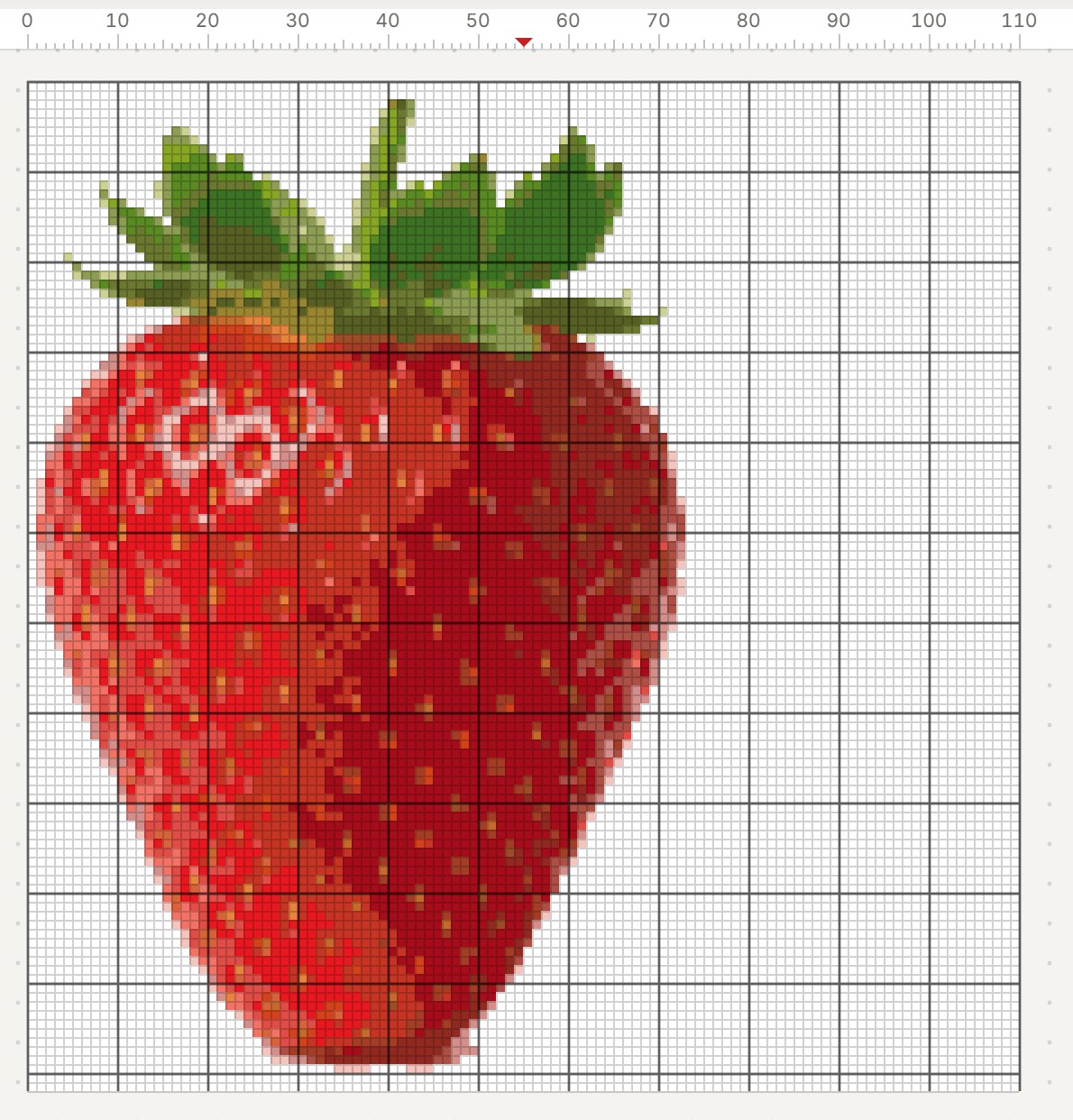
Open each background thread's menu and choose "Remove its stitches". On white Aida, the removed white is just the cloth showing through. Then Chart, Remove unused threads.
Step 5: Crop to the design
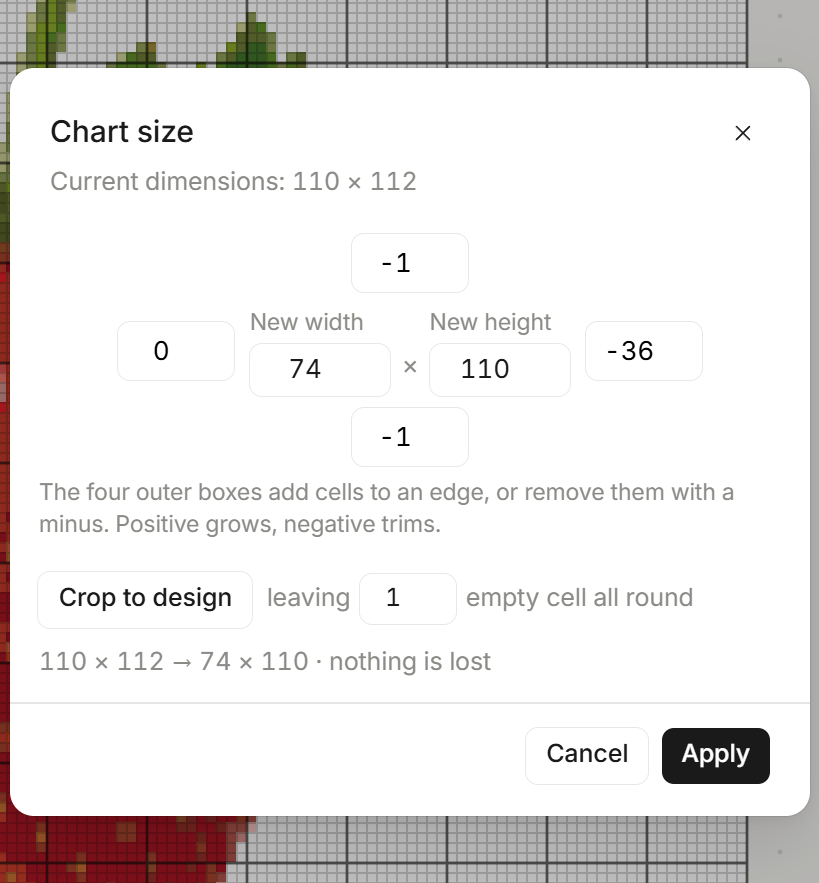
Chart, Chart size, then Crop to design and Apply. The grid went from 110 x 112 to 74 x 110, nothing lost. No blank pages when printing.
Step 6: Fix lone stitches (Plus)
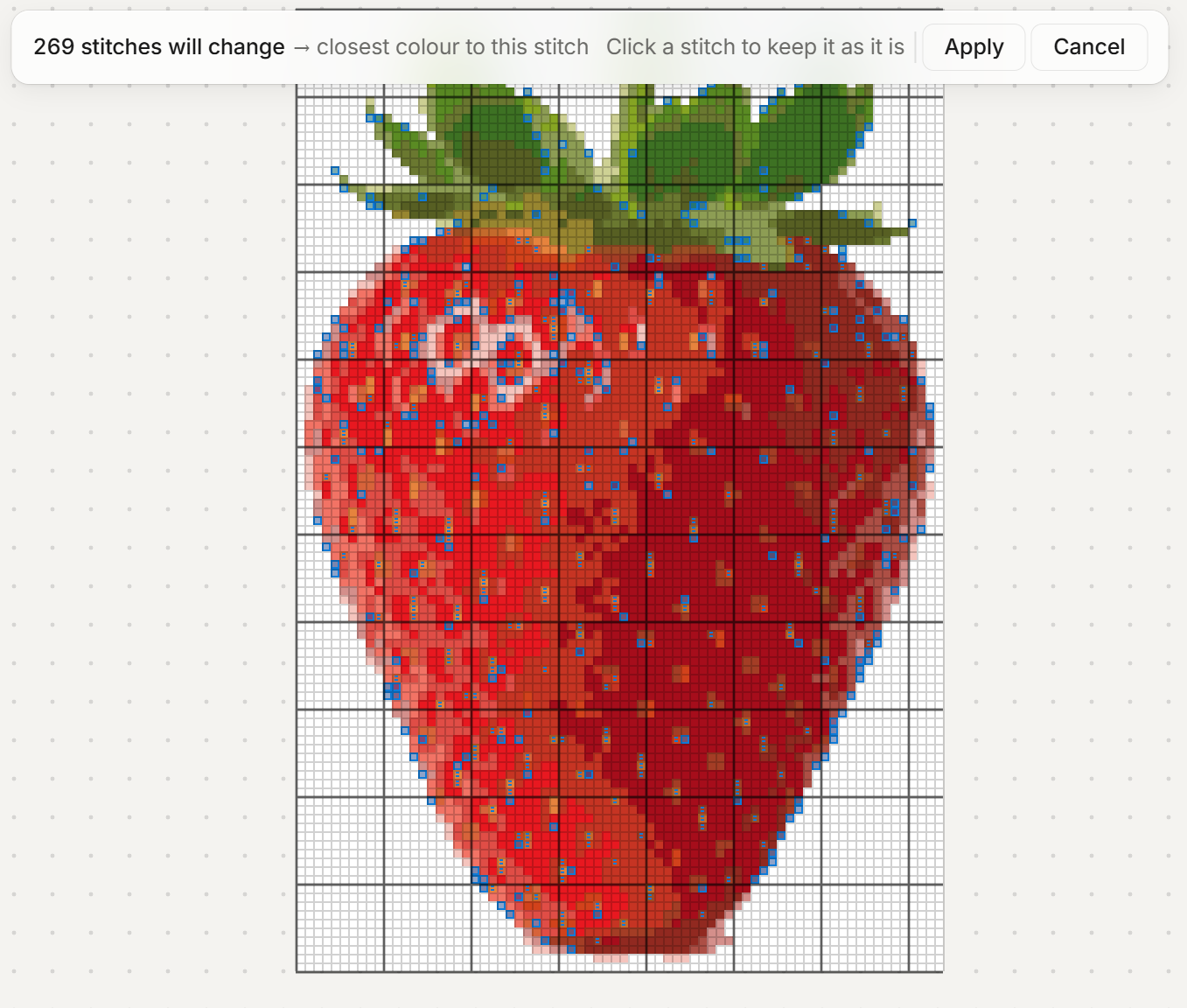
Open Fix all lone stitches. The editor previews every stitch it would change: 473 in this chart.
The strawberry's seeds are single yellow and orange stitches on red, and the fix treats them as strays. Click a stitch in the preview to keep it. After sparing 204 seeds, 269 lone stitches were changed. See what confetti stitches are and how to clean them up.
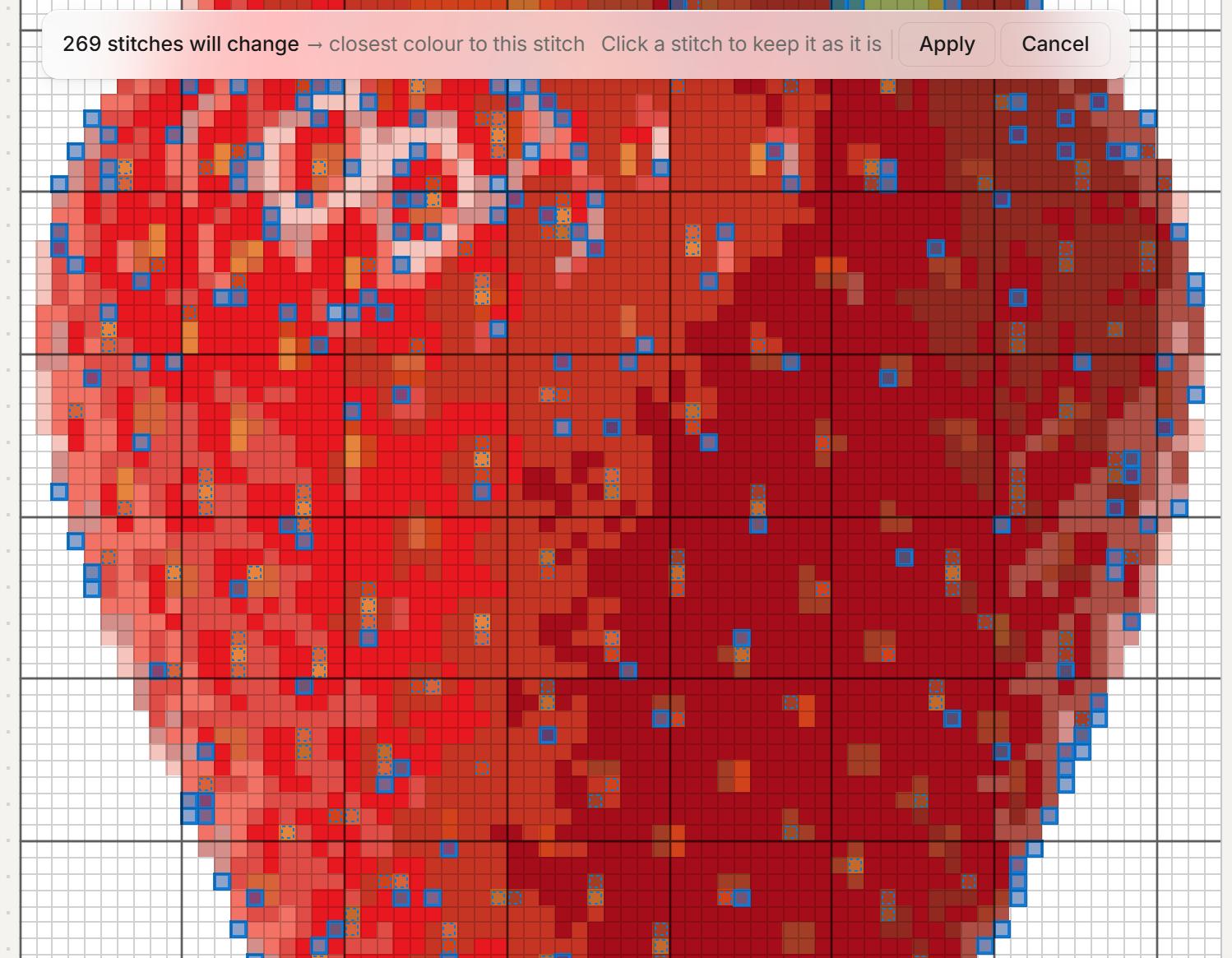
Tip: a lone stitch is often deliberate. Always check the preview before applying.
On Free, the preview works the same, and the button reads Apply with Plus.
Step 7: Export
Same options as Way 1. The finished strawberry from a photo: 23 colours, 74 x 110 stitches, 13,4 x 20,0 cm on 14 ct.
Common questions
Is there an app to make your own cross stitch pattern? Yes. FellowStitch runs in your browser, and making a pattern is free.
Is there a free pattern generator? Making a pattern in FellowStitch is free, with every drawing tool, every stitch type, photo import, and patterns up to 300 by 300 stitches. Printing needs a free account: your first 3 patterns print at no cost, then 10 credits each. Free PDFs are for your own stitching, not for selling. Plus adds the tidying tools, patterns up to 500 by 500, prints with no limit, and PDFs you can sell. Studio adds the finishing tools, patterns up to 1000 by 1000, and new tools first. Each plan also comes with credits for AI patterns: 20 when you make a free account, 250 a month on Plus, 500 a month on Studio. One AI pattern is 10 credits. See all three on the pricing page.
Can you turn any image into a cross stitch pattern? You can import almost any photo. A clean, well-lit photo converts better than a dark or busy one. Every conversion needs cleanup afterwards: reducing colours and removing stray stitches.
Can ChatGPT make cross stitch patterns? ChatGPT generates images, not counted cross stitch charts. What you get is a picture, not a grid of stitches with DMC threads, symbols, and a printable PDF. You still need a pattern maker. See how to turn a ChatGPT picture into a real chart.
Start making
Open the editor and try it with your own idea. Making a pattern is free. Printing needs a free account.