How to reduce the colours in a cross stitch pattern
You converted a picture and got 40 colours, many of them nearly the same. That is 40 skeins to buy and 40 symbols to tell apart.
Most of those colours are not doing anything you would notice in the finished piece. This post shows one pattern at three colour counts in FellowStitch, a free pattern maker that runs in your browser.
Why converters give too many colours
The Lighthouse picture used in this post looks like a few dozen flat colours to the eye. Counted pixel by pixel, it holds 56 665 different colours.
Most are tiny in-between shades along edges, where one flat area meets another. Your eye blends them. A converter has to fold them all into threads. Keep too many, and you get threads that look almost the same on fabric.
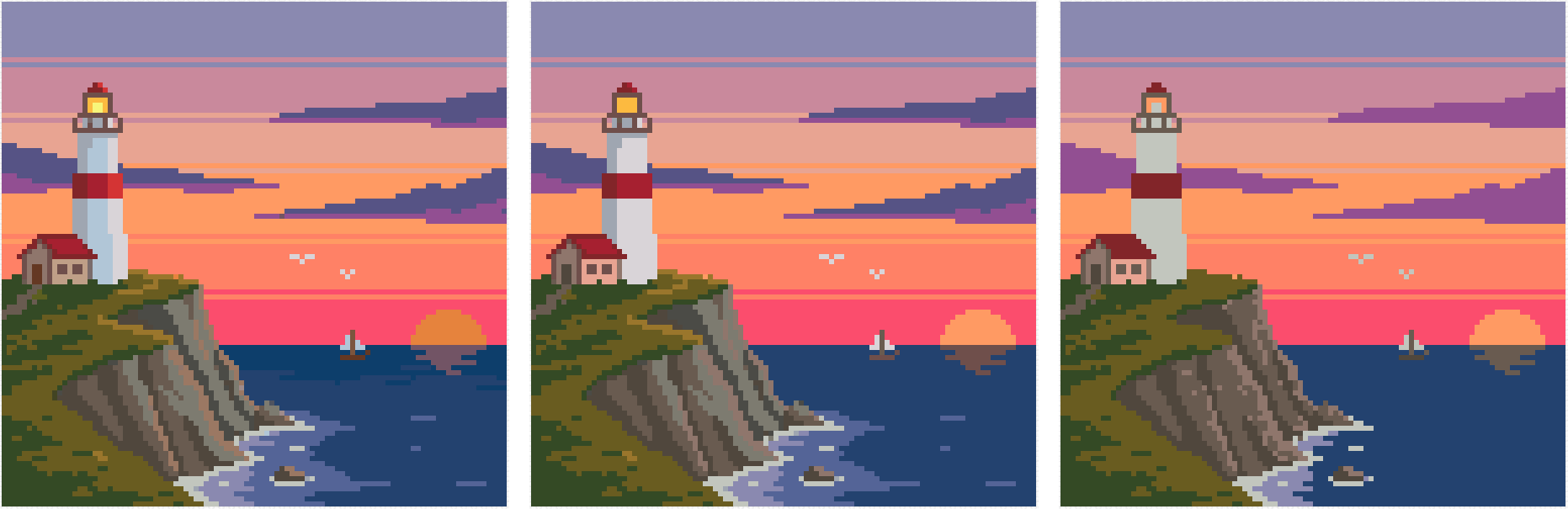
One pattern at 40, 25 and 15 colours
We dropped the Lighthouse into FellowStitch. The editor built a 102 x 102 chart with a one-square border of bare cloth.
It is on 14 ct white Aida, and the editor suggested 18 colours.
The Colours slider goes from 2 to 68, so we tried three stops.
The Lighthouse is one of the free patterns on the site.
| Colours | Skeins to buy | Smallest colour | Colours under 10 stitches |
|---|---|---|---|
| 40 | 40 | 317 Steel, 1 stitch | 8 |
| 25 | 25 | 725 Buttercup, 12 stitches | 0 |
| 15 | 15 | 3777 Red Leather, 102 stitches | 0 |
Every colour uses less than one skein, so each colour is one skein to buy.
At $1 a skein, as an example, going from 40 to 15 colours saves $25.
What changed
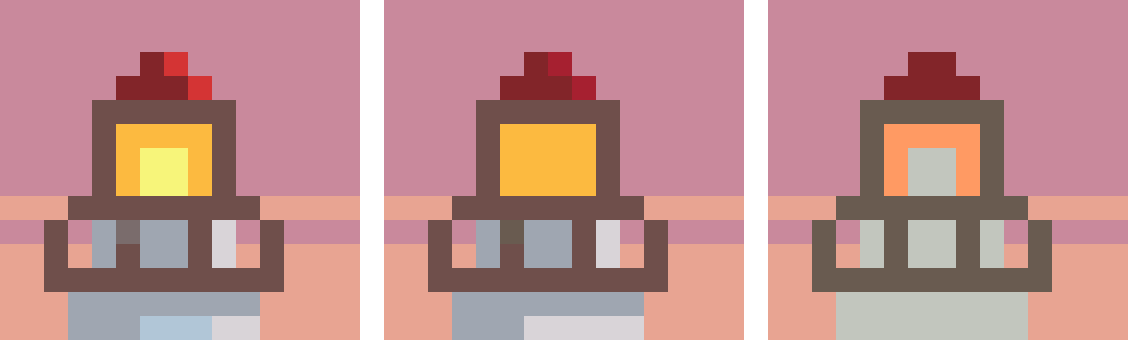
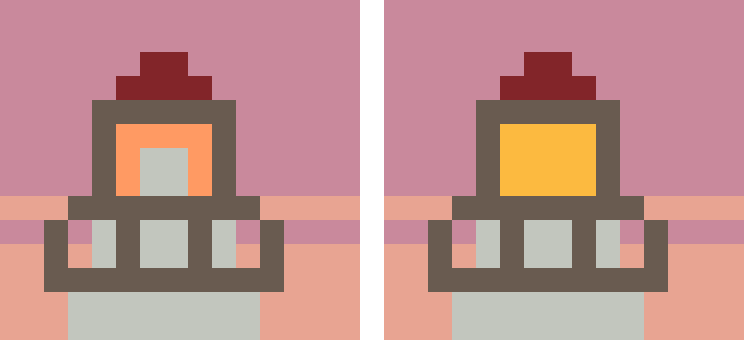
40 to 25: almost nothing you would notice. The lamp's pale glow merged into one yellow, the lighthouse lost its pale blue highlight, and the red stripe went from three reds to two.
25 to 15: the lamp goes out. 725 Buttercup (the smallest colour at 25, just 12 stitches) was dropped, and the lamp turns orange and grey. The lighthouse becomes one flat grey, the red stripe one dark red, and the clouds lose their blue-violet.
How far to cut
From 40 to 25, almost nothing changed.
At 15, the lamp, the lighthouse shading, and the cloud depth disappeared.
The right count sits where the details you care about still show.
If a detail matters, lock its colour before you lower the slider (Step 3 below). Soft gradients, skin tones, and faces need more colours than flat shapes and lettering.
Signs you have gone too far:
- Skin turns to flat blocks.
- A soft gradient turns into hard stripes.
- Outline colours merge into the fill and the shape loses its edge.
Move the slider, check the Stitched view, and move it back. There is no cost to trying.
Three ways to reduce colours
All three are on the free plan. Set the slider first, then merge, then lock. Both the slider and merging rebuild the chart from the picture, so do them before any hand editing.
Step 1: Use the Colours slider in Setup
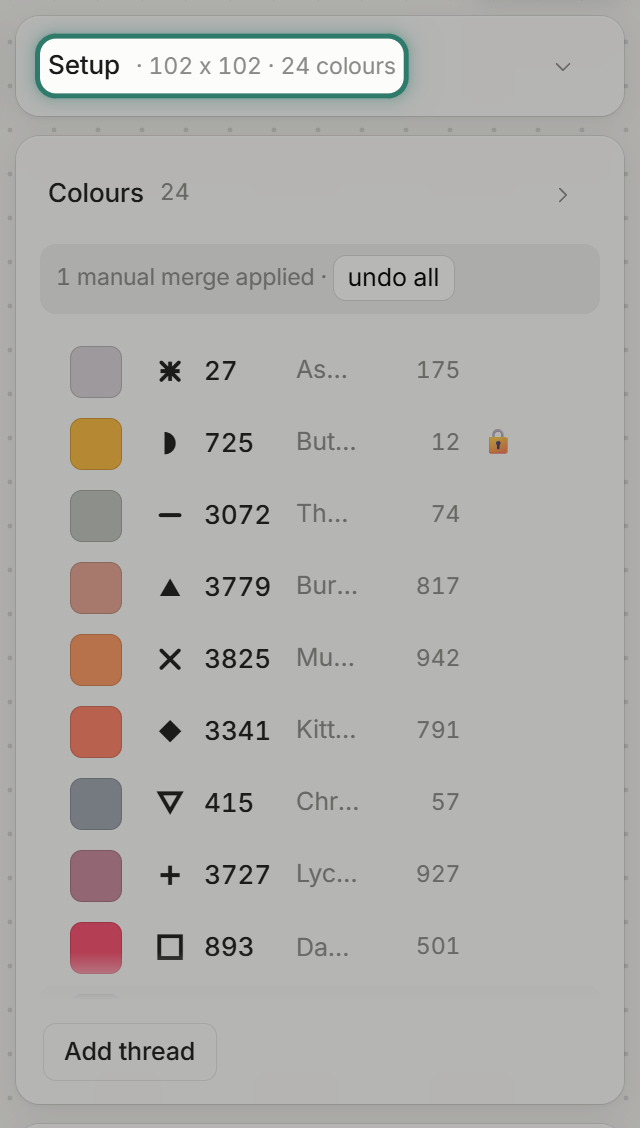
When you import a picture, the Setup panel opens with Size, Colours, Shadows, Padding and Cloth. Drag the Colours slider to set the total.
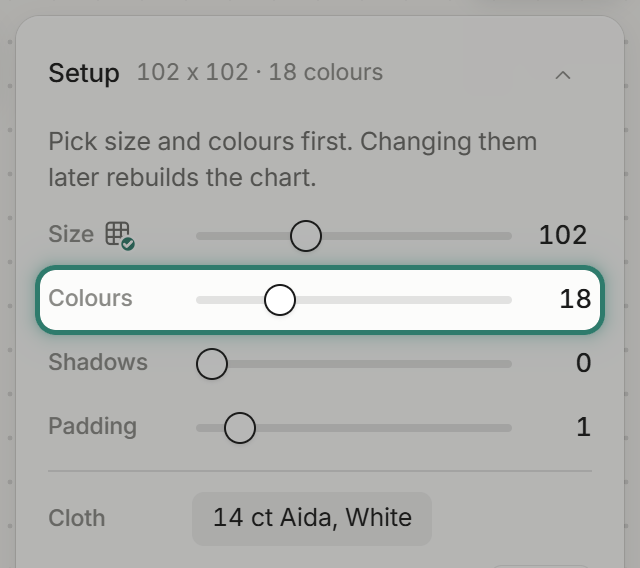
Once moved, a "reset" link appears beside the number. Press Done.
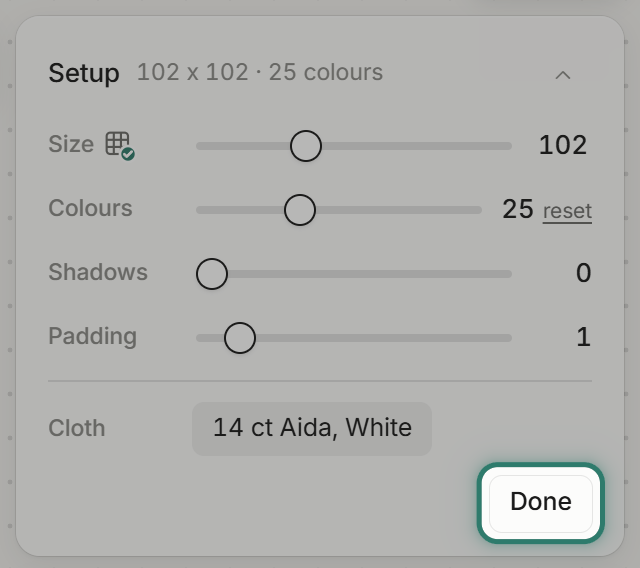
Setup folds to one line, and the Colours list gets the room.
Tip: start at the editor's suggestion and look at the Stitched view. Move it down if two colours look the same, and up if a detail you want is missing.
Step 2: Merge two colours by hand
Sometimes two similar colours survive the slider and you want to pick which one stays.
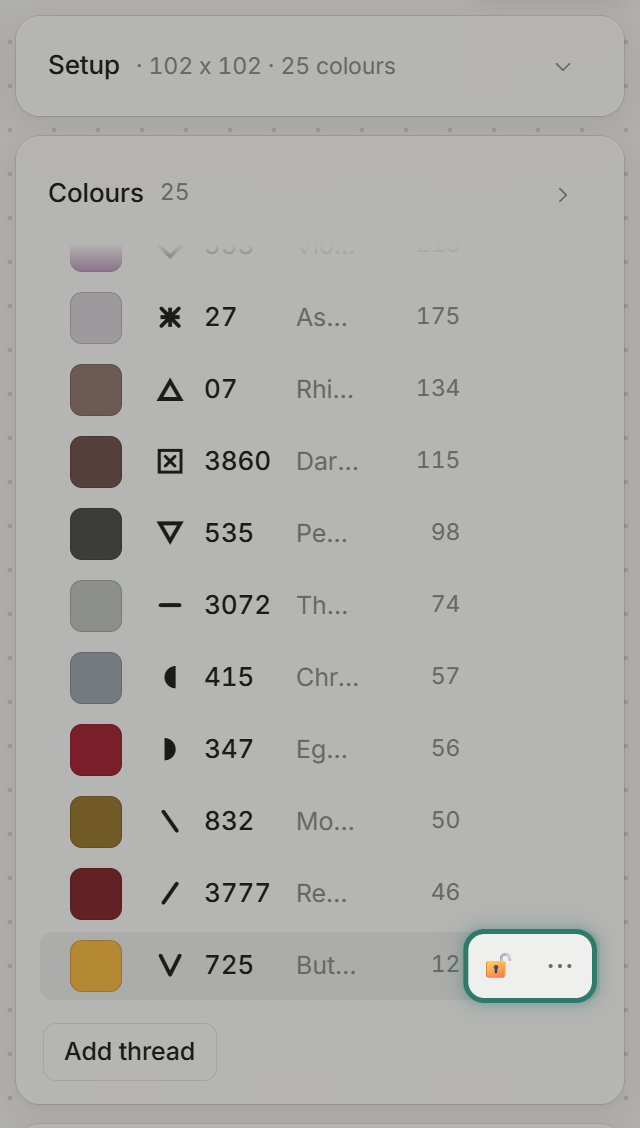
Hover a row in the Colours list. Two buttons appear: an open padlock and three dots ("More for this colour").
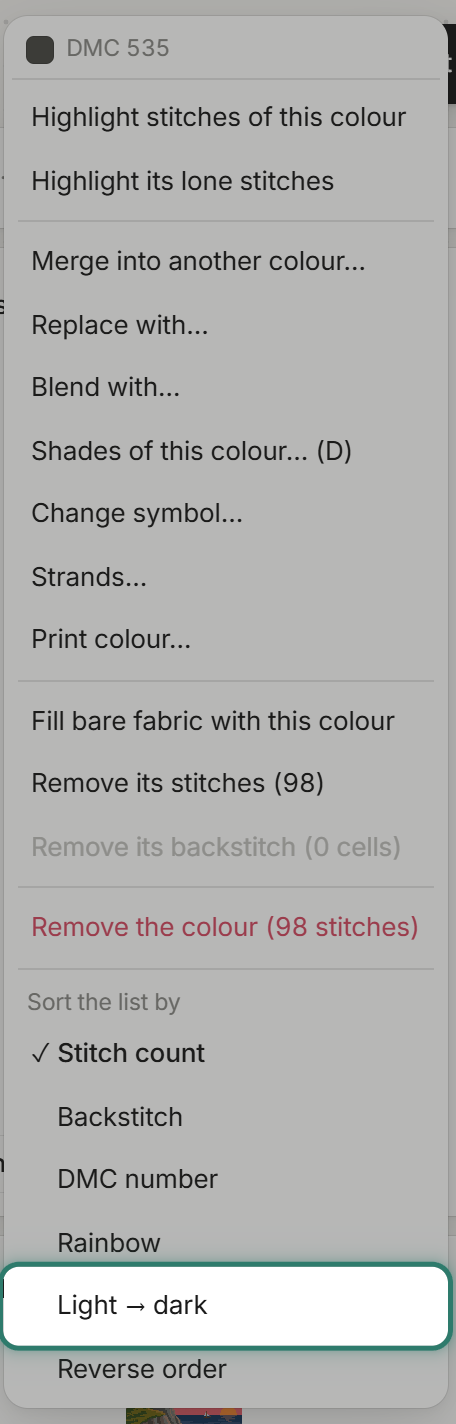
Press the three dots and choose "Light → dark" under "Sort the list by". Similar colours now sit next to each other.
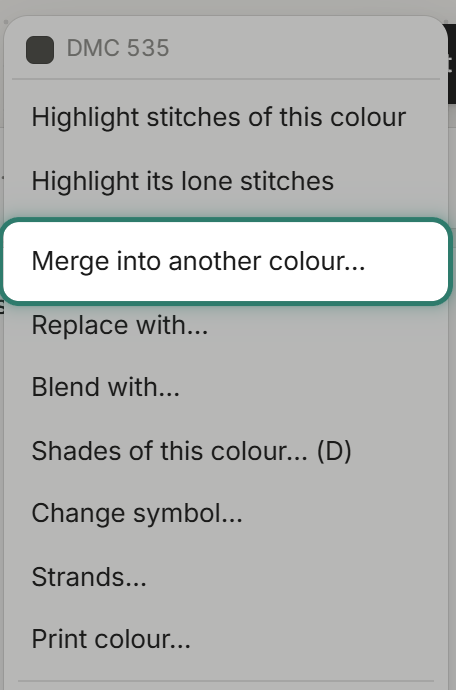
Open the menu of the colour you want to lose, and choose "Merge into another colour".
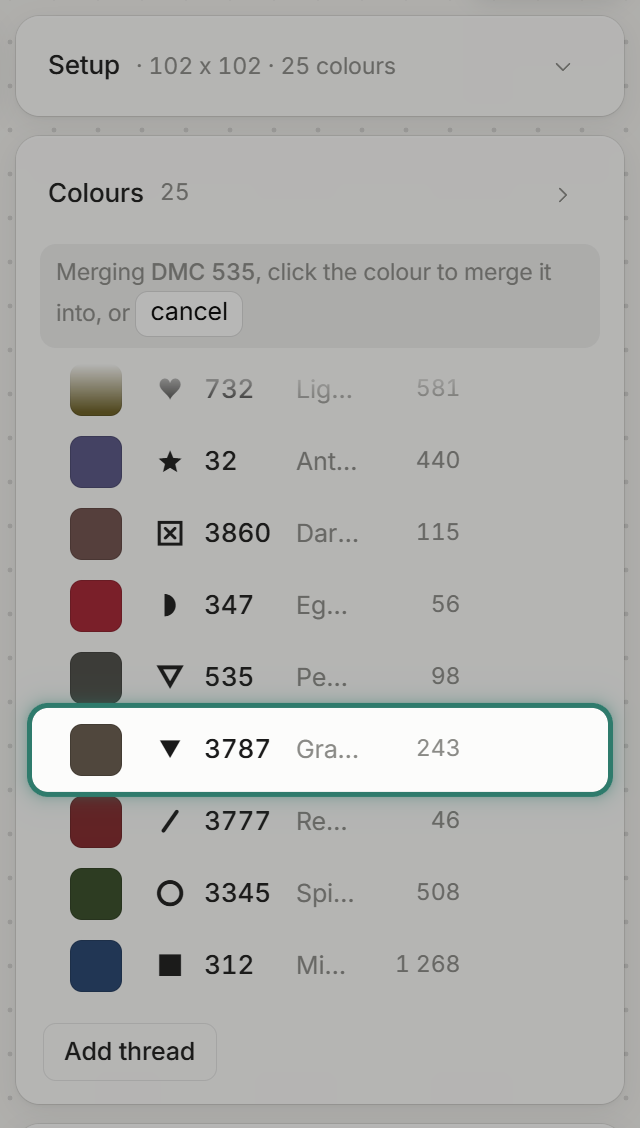
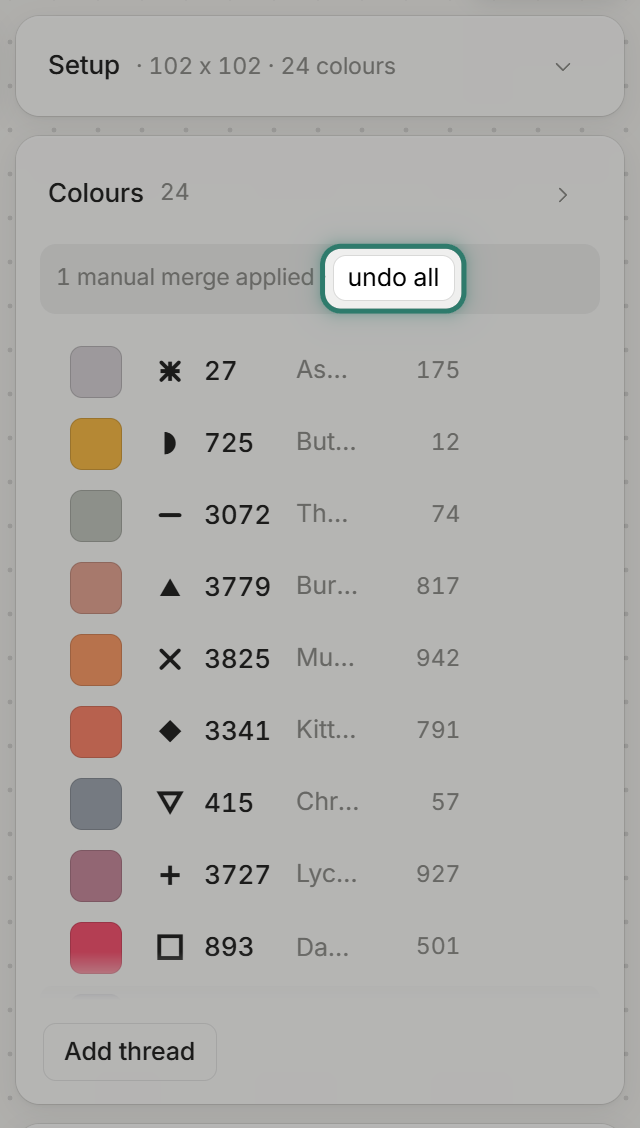
The list reads: "Merging DMC 535, click the colour to merge it into, or cancel". Click the colour you want to keep.
The list drops from 25 to 24 colours, and a note reads "1 manual merge applied · undo all". Changed your mind? Press "undo all" in that note.
Step 3: Lock a colour the slider would drop
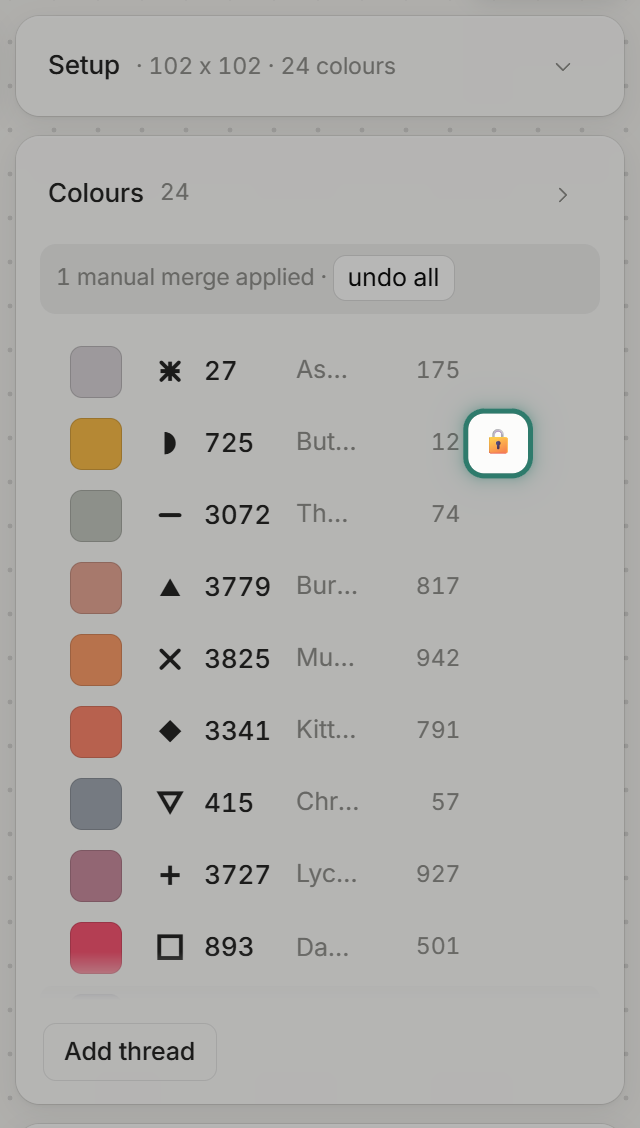
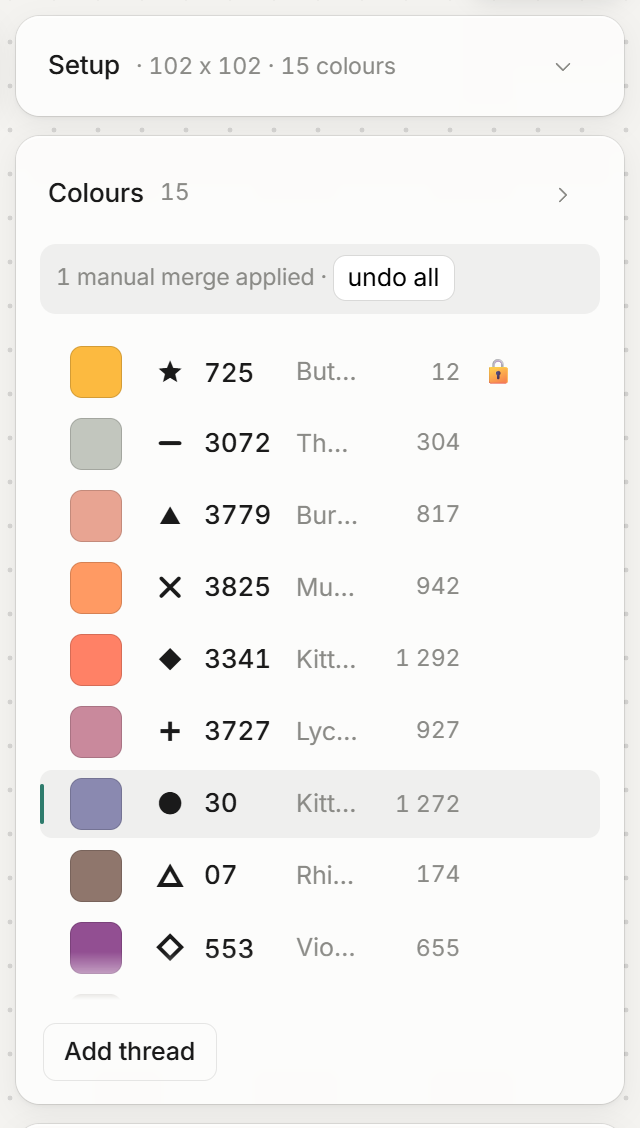
725 Buttercup was the lamp's yellow, just 12 stitches at 25 colours. Move the slider to 15 and it is gone.
Hover its row and click the padlock. The tooltip reads: "Locked, the slider will never merge this colour away".
Click Setup at the top to open the slider again.
Move the slider to 15 and press Done. 725 Buttercup stays, and the lamp stays lit.
Common questions
How do you change colours in a cross stitch pattern? Choose "Merge into another colour" from the three-dot menu on the colour's row. To swap it for a thread not in the pattern yet, choose "Replace with" instead.
How can I make an image have fewer colours? Import it into FellowStitch and drag the Colours slider in Setup.
How many colours should a cross stitch pattern have? It depends on the subject and the size. Try different slider positions and check the Stitched view.
Does reducing colours cost anything? No. The slider, the merge and the padlock are on the free plan. Printing needs a free account: your first 3 patterns print at no cost, then 10 credits each.
Start tidying
Open the editor with your own picture and try the Colours slider. The Lighthouse is one of our free patterns.