Half and three-quarter stitches: when your chart needs them
A full cross stitch fills the whole square. Sometimes that is too much. When curves or slanted edges land on a small chart, full stitches turn them into steps, one square at a time.
Three types of fractional stitch give you finer control.
What they are
A half stitch is one leg of the cross, a single diagonal line across the square.
A quarter stitch goes from one corner to the centre of the square. Several quarter stitches can share one square.
A three-quarter stitch is a quarter stitch plus a half stitch together. It fills most of the square but leaves one corner open, showing the fabric underneath.
That open corner is what makes it useful.
When a chart needs them
Here is the strawberry from how to make your own cross stitch pattern, 17 x 19 stitches on 14 ct Aida. Its dark outline (DMC 3371) is drawn in full stitches. At its two top corners, and where the berry narrows toward the tip, the outline goes in steps.
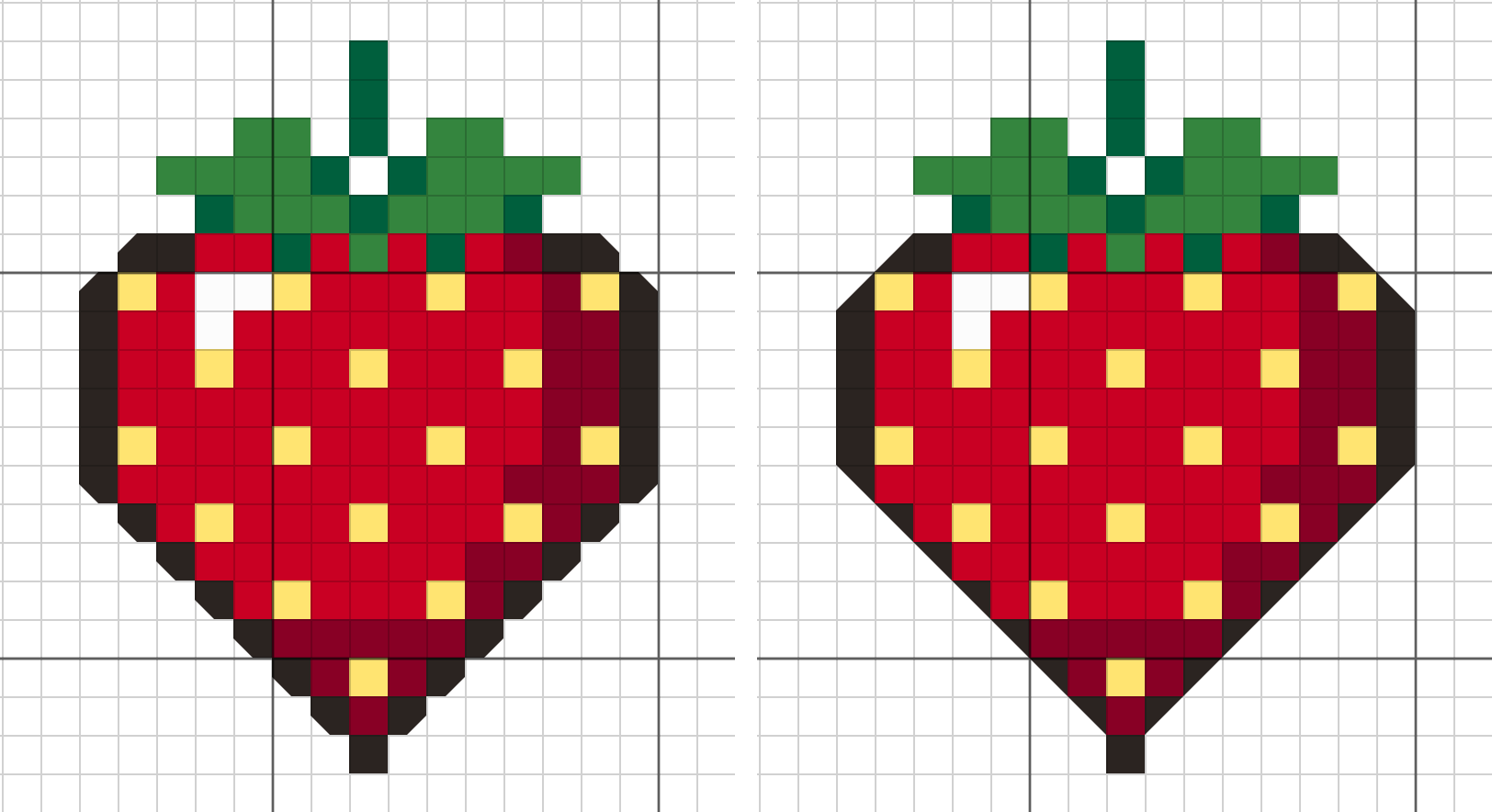
On the left, full stitches only. On the right, with three-quarter stitches.
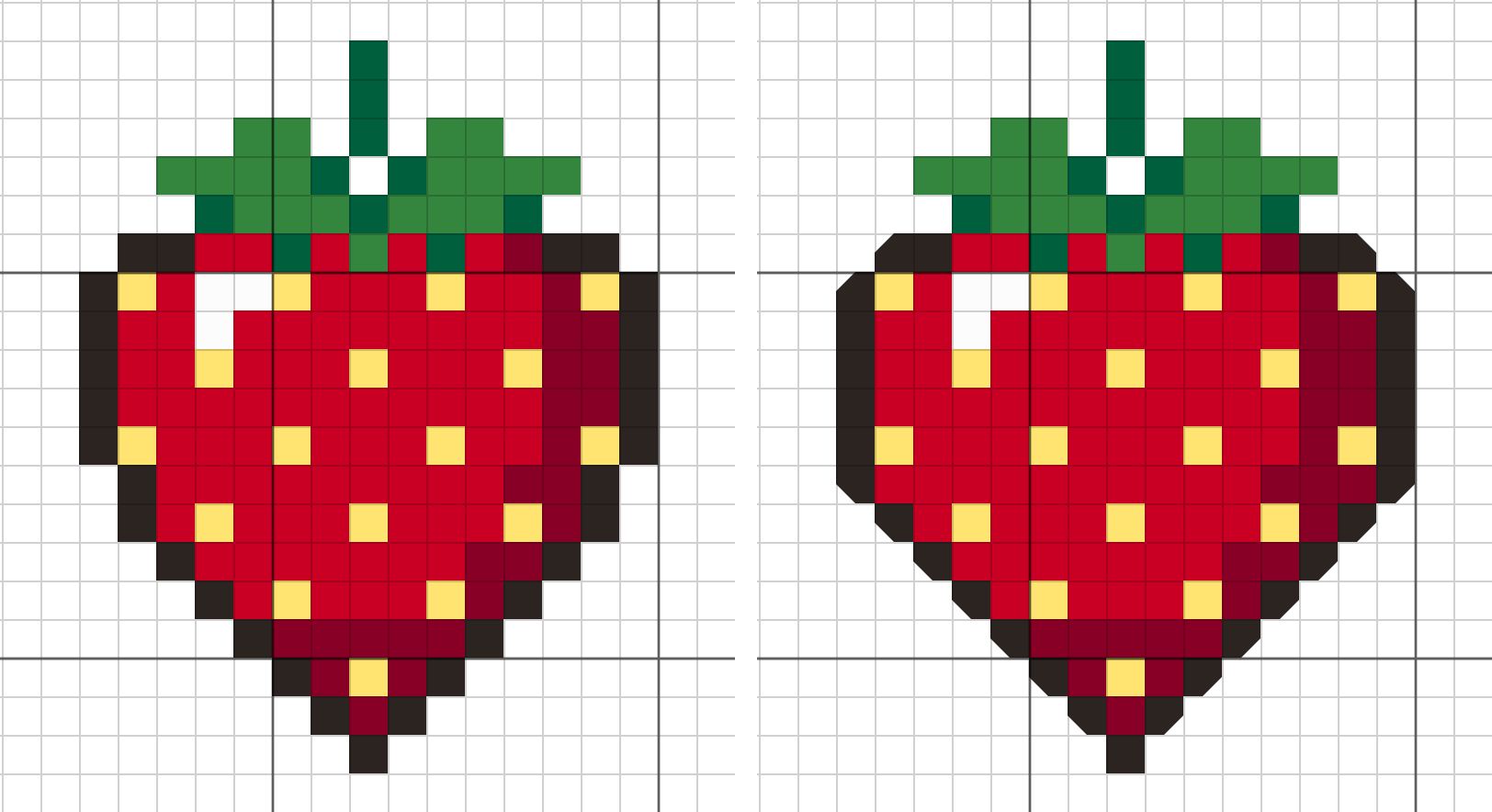
18 squares on the slants and the top corners became three-quarter stitches, each leaving out the corner that points away from the berry. Where the slant begins, the outline moves one square out, and the square it left turns red (666 on the left, 498 on the right). Nothing else is added outside the outline, so it does not get thicker.
Thread counts barely move. DMC 3371 stays at 29 stitches, 666 and 498 gain one each, and the rest do not change.
How to paint them in FellowStitch
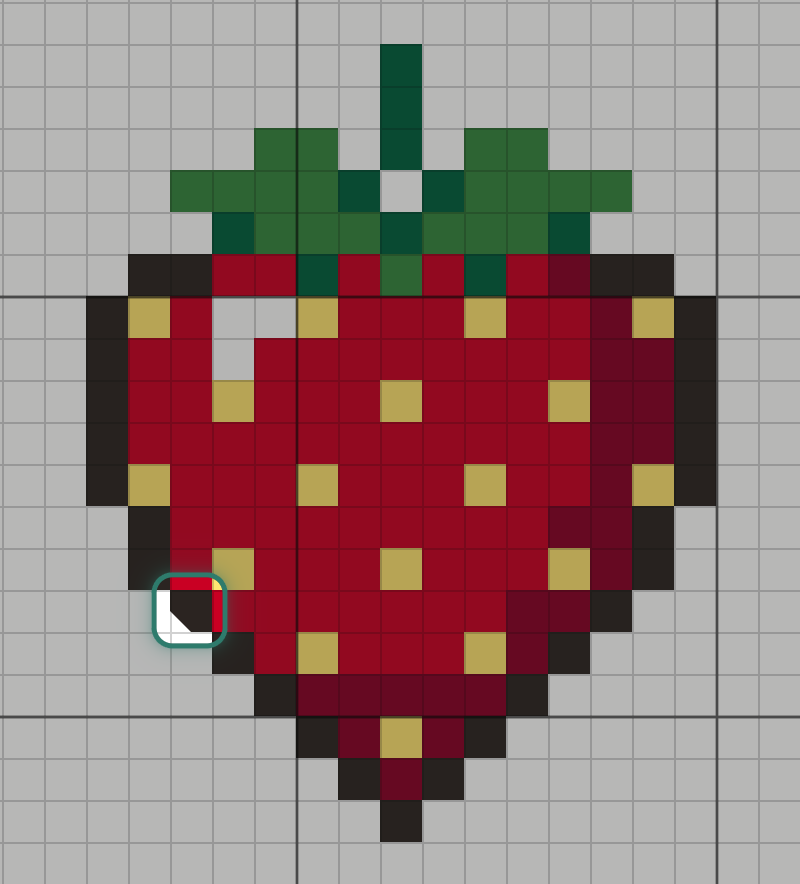
Pick the Paint tool (B) and choose Three-quarter from the settings bar. The bar's name changes to Fractional, and it adds four more buttons, "Corner it leaves out", one for each corner.

Click the outline colour in the Colours list, pick the corner to leave out, and click the square. Pick the next corner before moving to the other side of the berry.
Checking the result
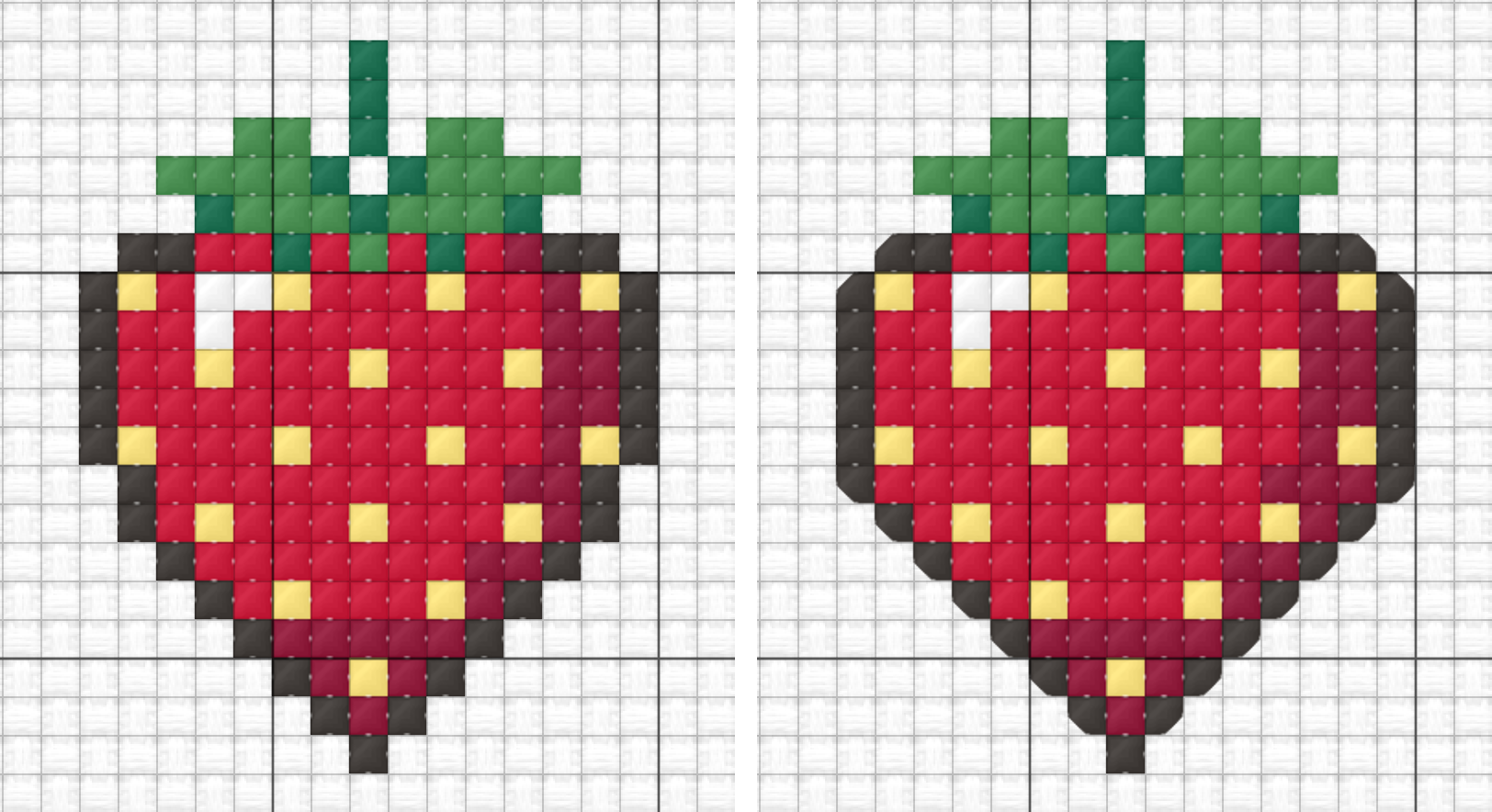
Click the X button among the view buttons below the chart to switch to Stitched view, which draws the chart as thread. Here are before and after side by side:
Turn on +Symbols and each three-quarter stitch shows a smaller symbol in the corner of the part it covers. Full stitches keep their symbol in the middle, so the two cannot be mixed up on the chart.
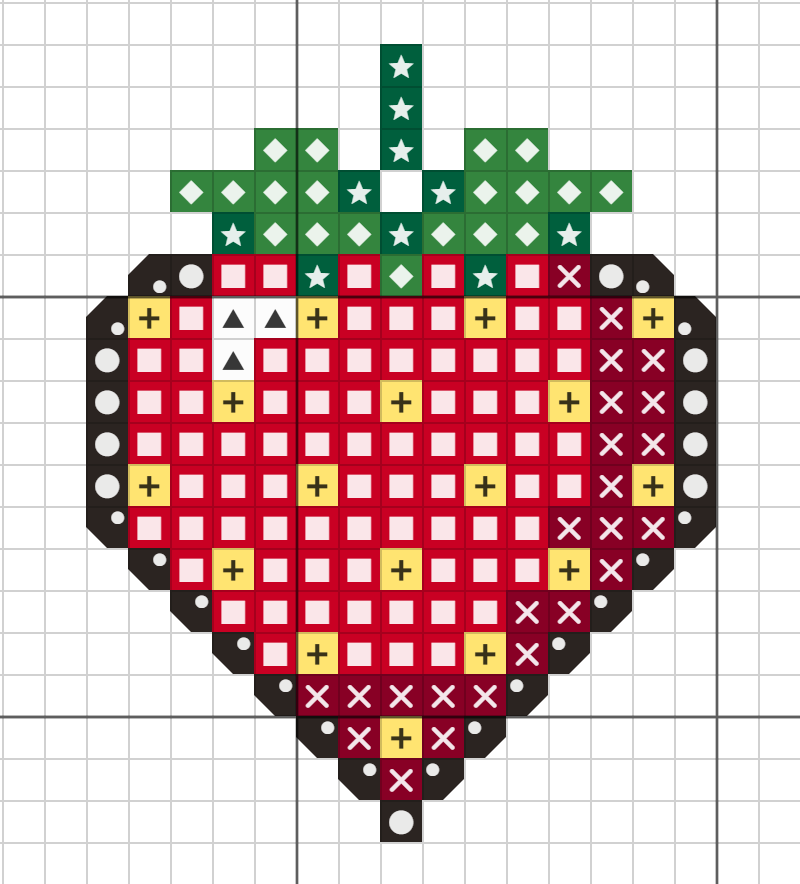
Under the Chart menu, Fractional look lets you choose how three-quarter stitches appear. Corner cut (the default) cuts the empty corner off the square. Triangle draws the stitch as a half-square triangle on the diagonal.
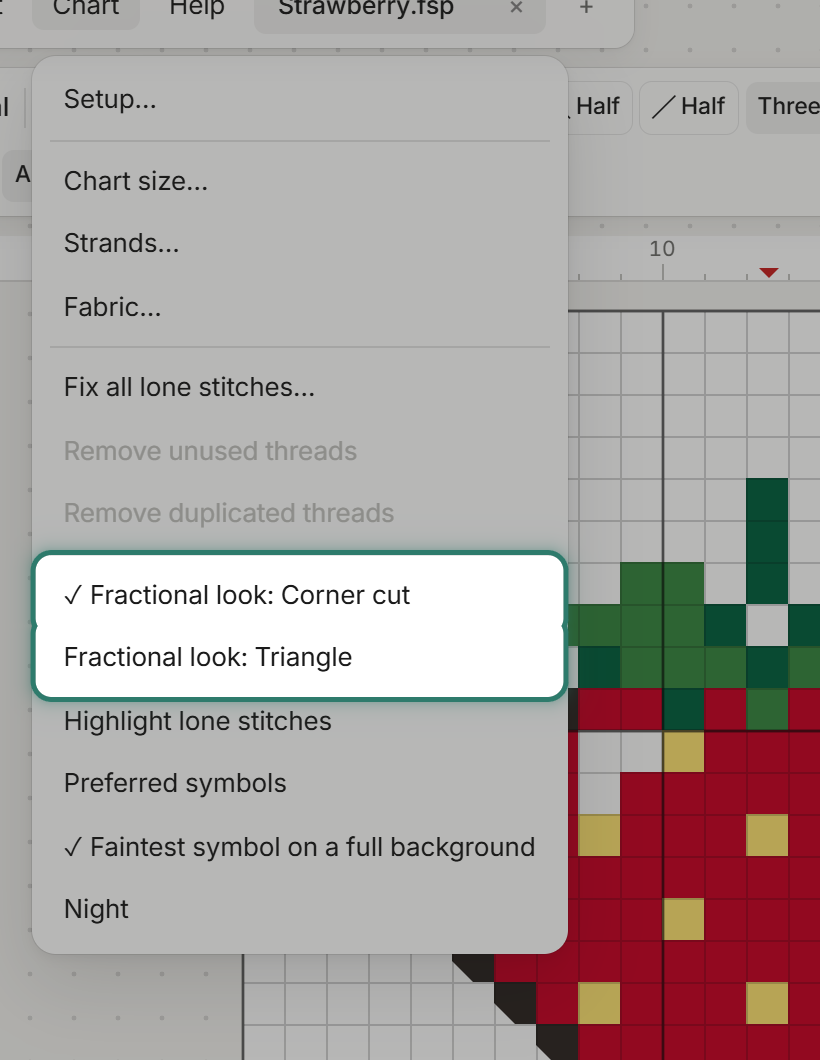
Both are ways of reading the same stitches. Pick whichever is clearer for you.
Stitching three-quarter stitches on Aida
Work it as a half stitch across the square and a quarter stitch from a corner into the centre. On Aida the quarter goes through the middle of the square, where there is no hole. A sharp needle helps.
Do not pull the short quarter tighter than the half stitch, or the square will distort.
A small tip
Change the outline's own squares into three-quarter stitches, rather than adding a row of new ones along the outside. A whole added row makes the outline heavy. The strawberry needed 18 three-quarter stitches on the slants and the top corners, and the outline did not get thicker.
Try it
Fractional stitches are on the free plan. Printing needs a free account. Your first 3 patterns print at no cost, then 10 credits each. See pricing for details.
Open the editor and try three-quarter stitches on your own chart.