Cross stitch chart symbols that are hard to read
Two symbols on the chart look almost the same. You stitch ten rows before you notice you have the wrong colour.
It happens because some symbol pairs differ only by a turn, a filled half or their size, or are thin, fussy lines. On a printed page the difference is hard to see.
This post shows how to spot the problem and fix it in FellowStitch.
The kinds that trip you up
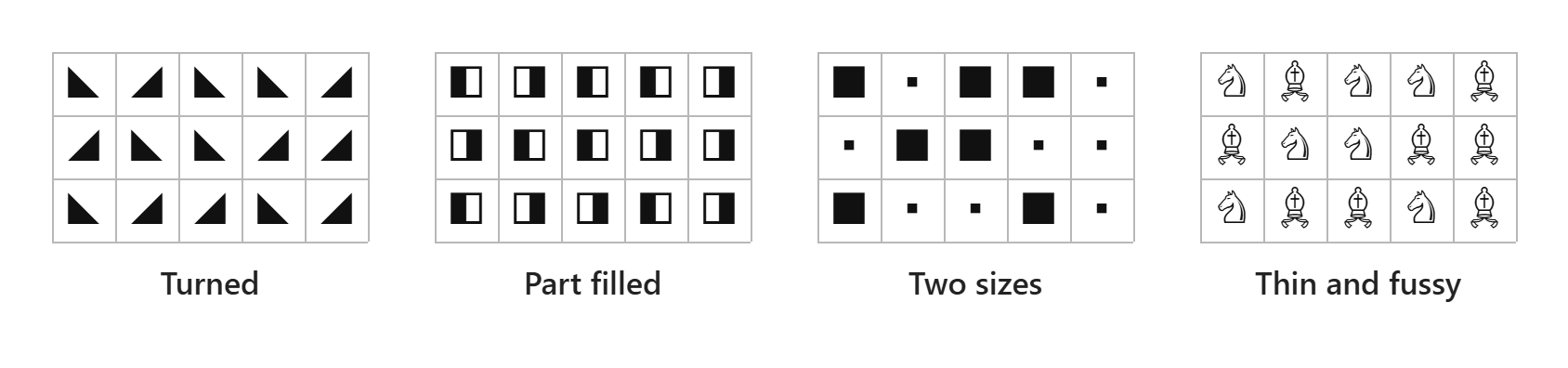
- Turned: the same triangle pointing two ways.
- Part filled: a square with its left or right half black.
- Two sizes: the same solid square, big and small.
- Thin and fussy: two thin outline shapes that are hard to tell apart on paper.
A fifth problem is two colours sharing one symbol. Then nothing on the chart tells you which colour goes where.
Check with the B&W view
Switch to B&W in the view bar at the bottom of the editor. Every stitch shows as its symbol, black on white, with no colour underneath. The PDF prints these same symbols, so a pair that is hard to tell apart here is hard on paper too.
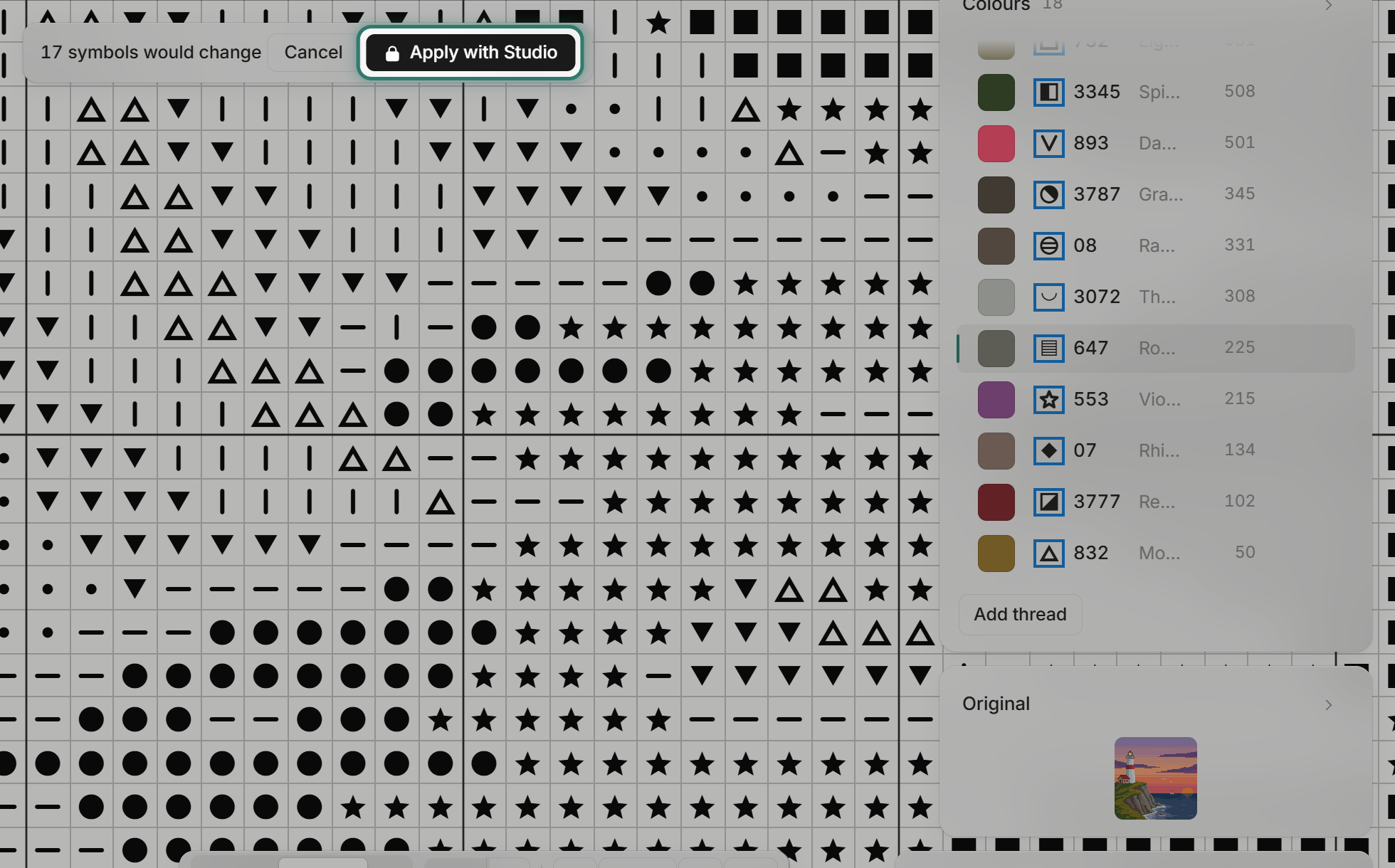
The editor picks symbols automatically, and the automatic set can leave look-alikes too. Here is the picture behind our free Lighthouse pattern, opened in the editor, with its 18 threads and their automatic symbols.
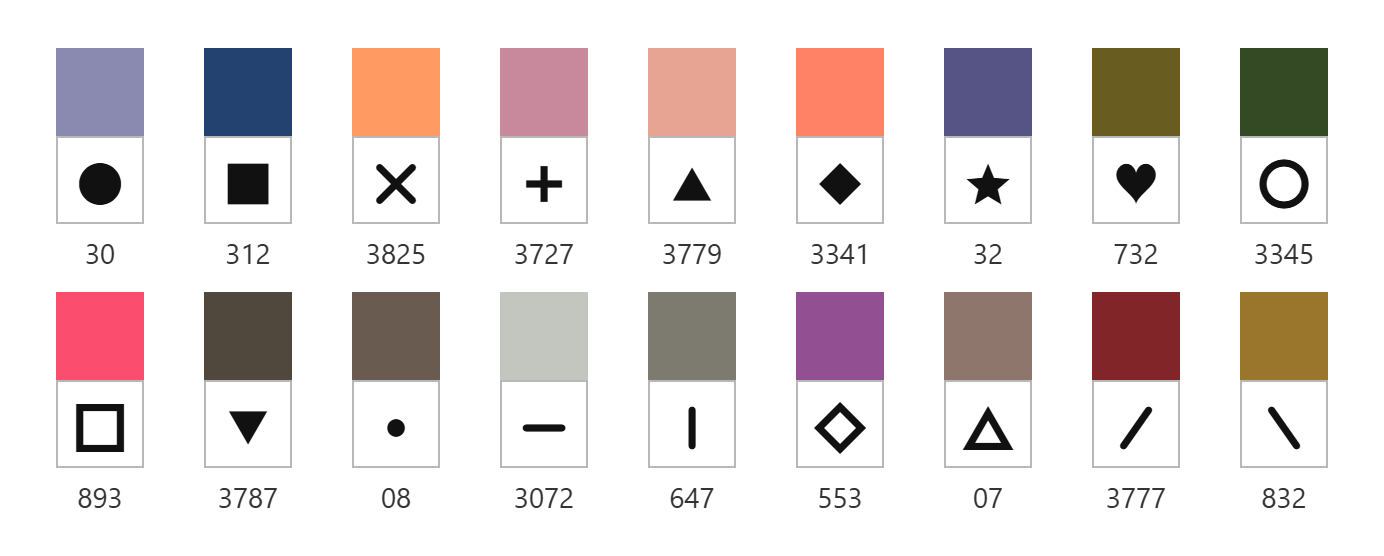
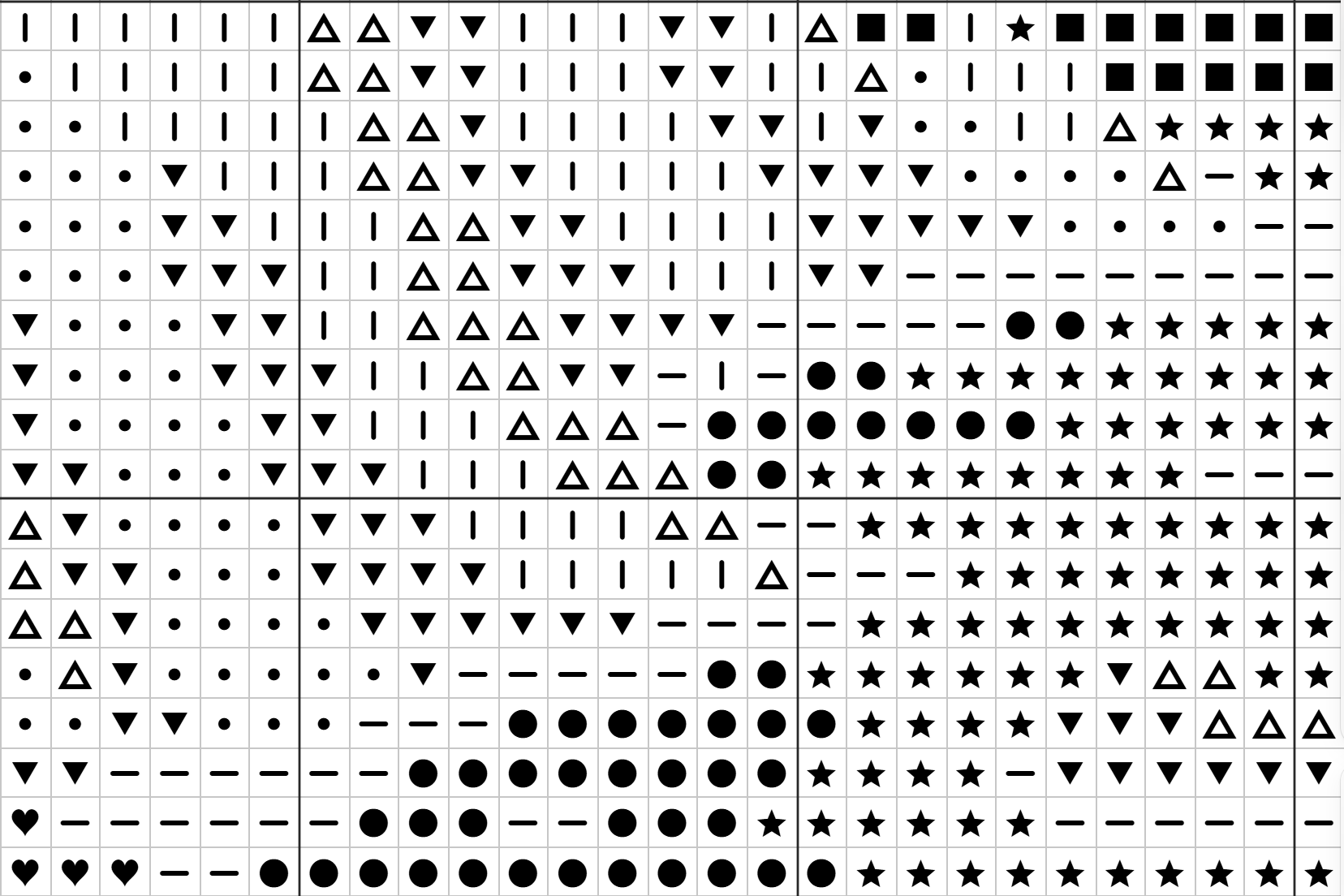
DMC 3072 gets a flat bar and DMC 647 gets an upright bar. They sit side by side in the cliff and surf, and in B&W they are easy to confuse. The same set also has a triangle pointing up and one pointing down, and a big and a small dot.
Fix the whole chart: Preferred symbols (Studio)
Open the Chart menu and choose Preferred symbols.
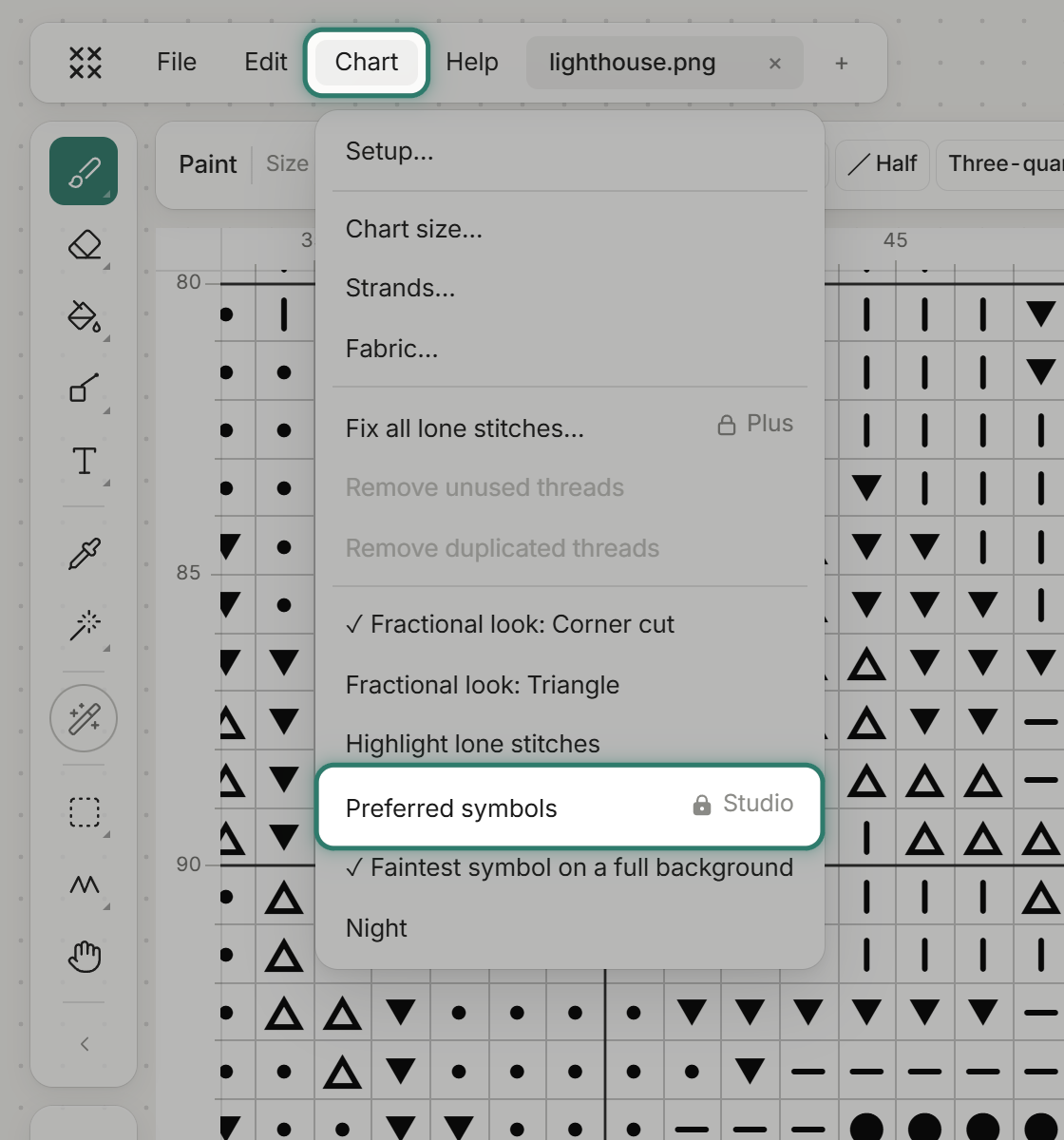
It gives dark threads heavy symbols and light threads light ones, so the B&W chart reads like the picture. It also skips any symbol that has the same shape as one it already gave out. Symbols you picked by hand are kept.
Signed out or on Free, you see a preview first. The bar reads "17 symbols would change" and the Colours list shows each new symbol in a blue box. Applying needs Studio.
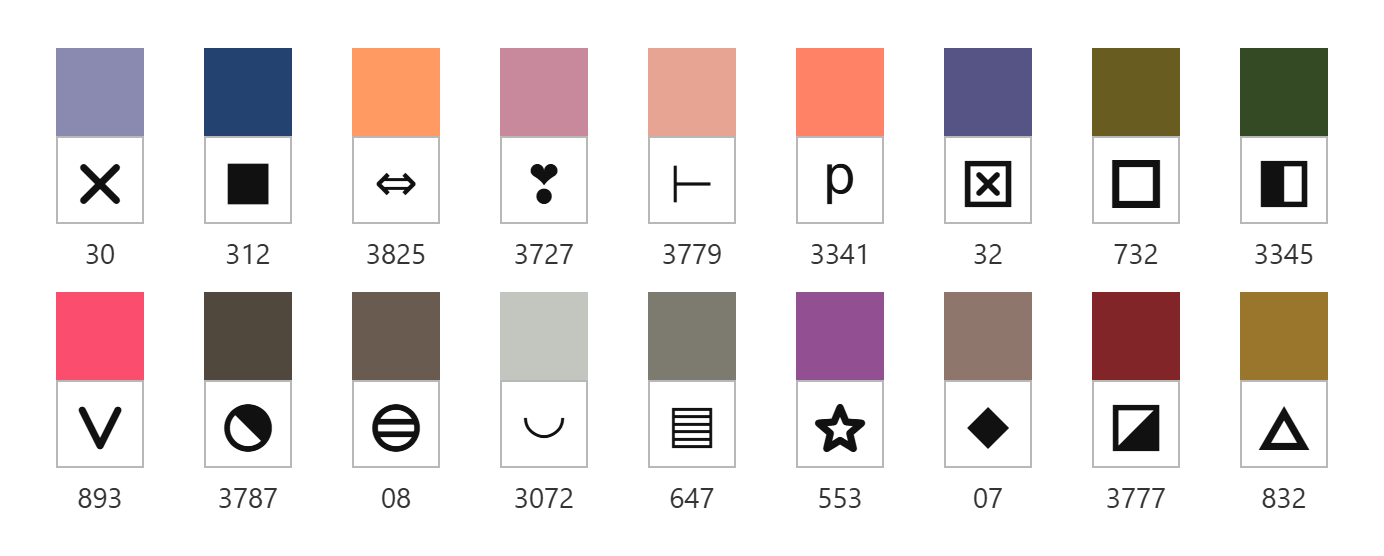
On Studio, the change applies straight away. Here are the same 18 threads afterwards.
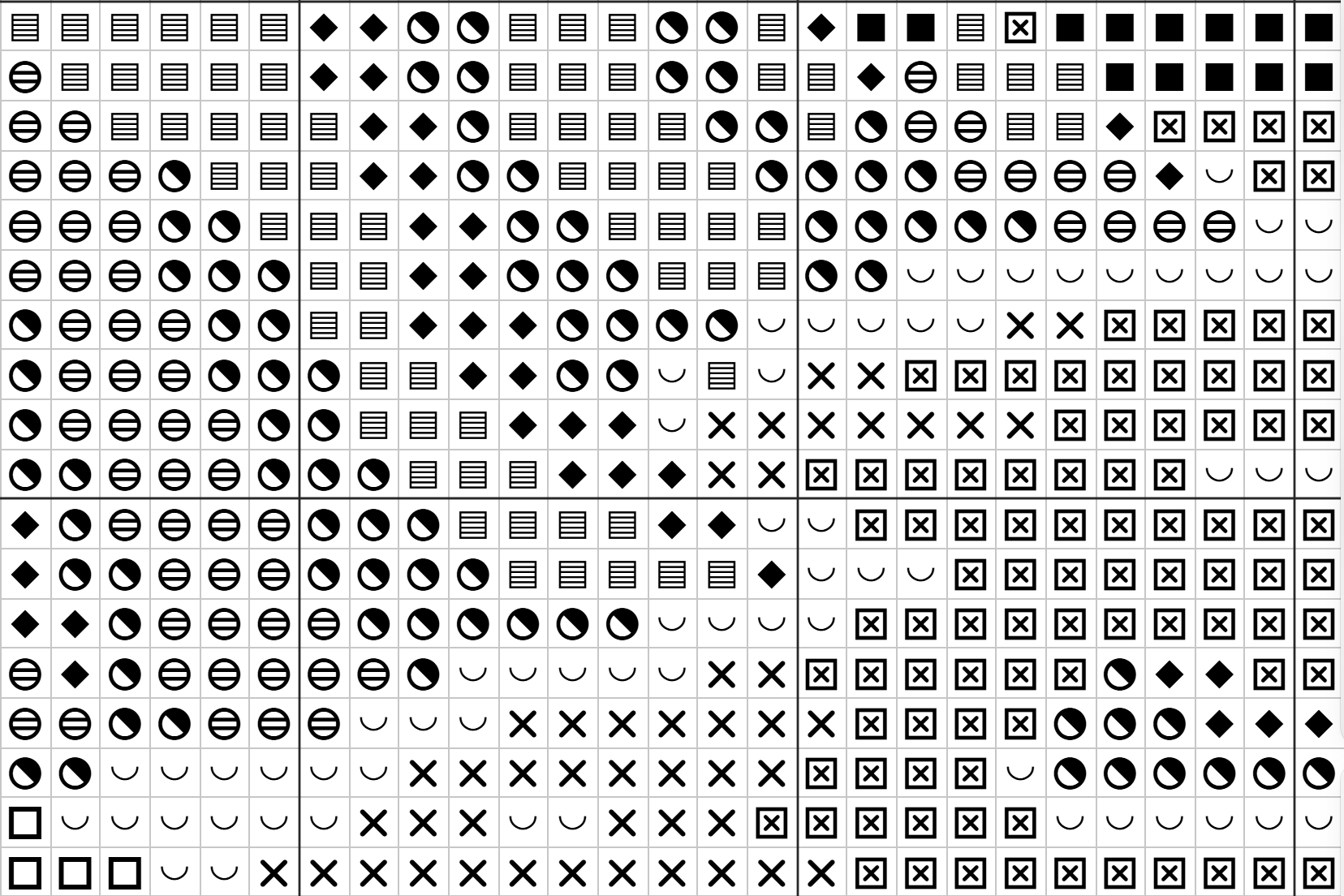
And the cliff and surf in B&W, where the flat bar and the upright bar are gone.
None of the 18 new symbols is a turned or smaller copy of another. Two are part-filled squares, but they never sit side by side on this chart. It is one undo step, if you want the old set back.
See the design in B&W
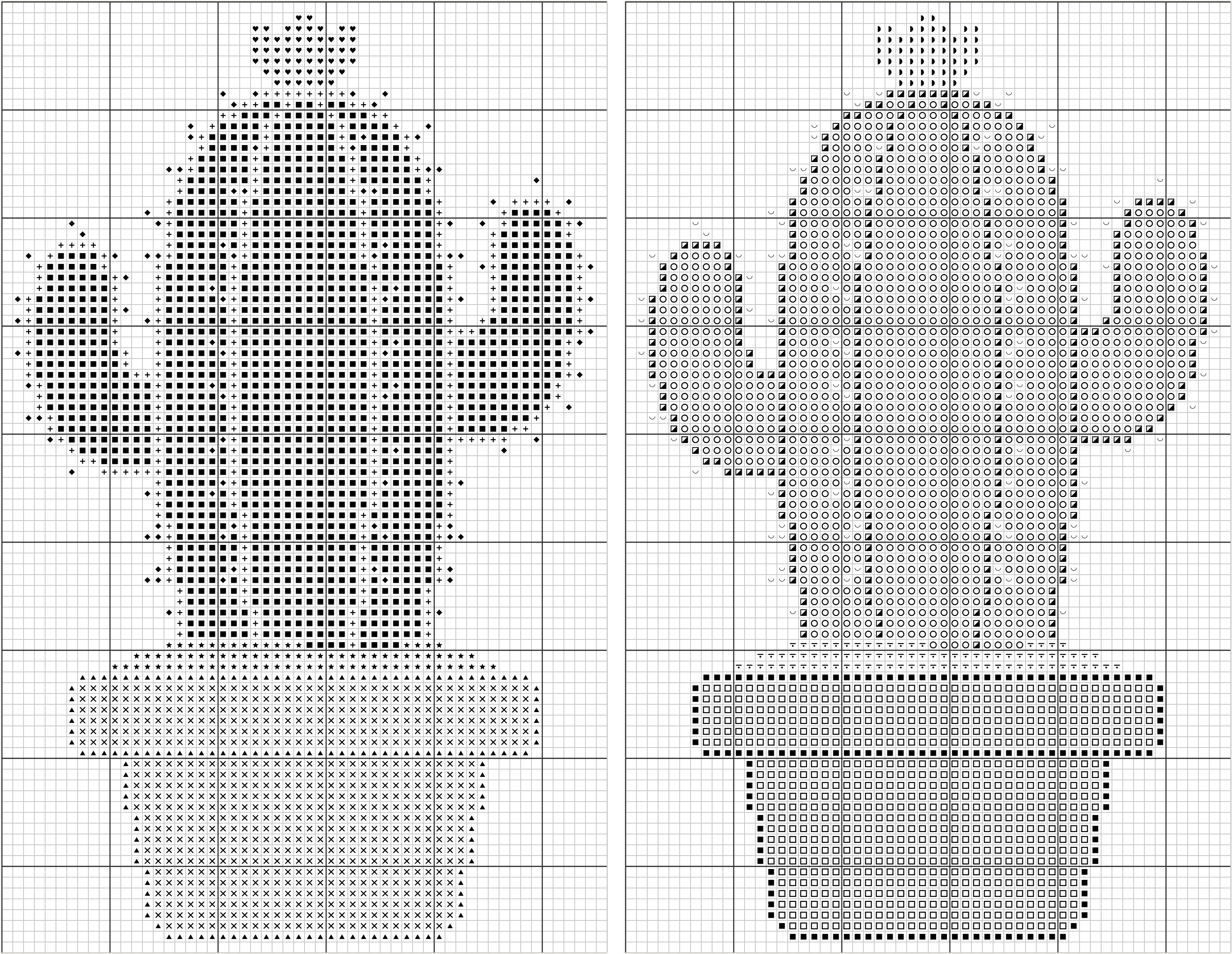
Here is a second example, the picture behind our free Cacti pattern, with its white background removed and 7 colours left. Before, the light green body got the solid square, the heaviest symbol, and the pot's dark rim got a small triangle. After Preferred symbols, the dark outline and the rim carry the heavy symbols and the light body takes open circles, so the B&W chart shades like the picture.
Change one symbol by hand
If only one pair bothers you, swap a single symbol instead. This is free. These steps start from the automatic symbols.
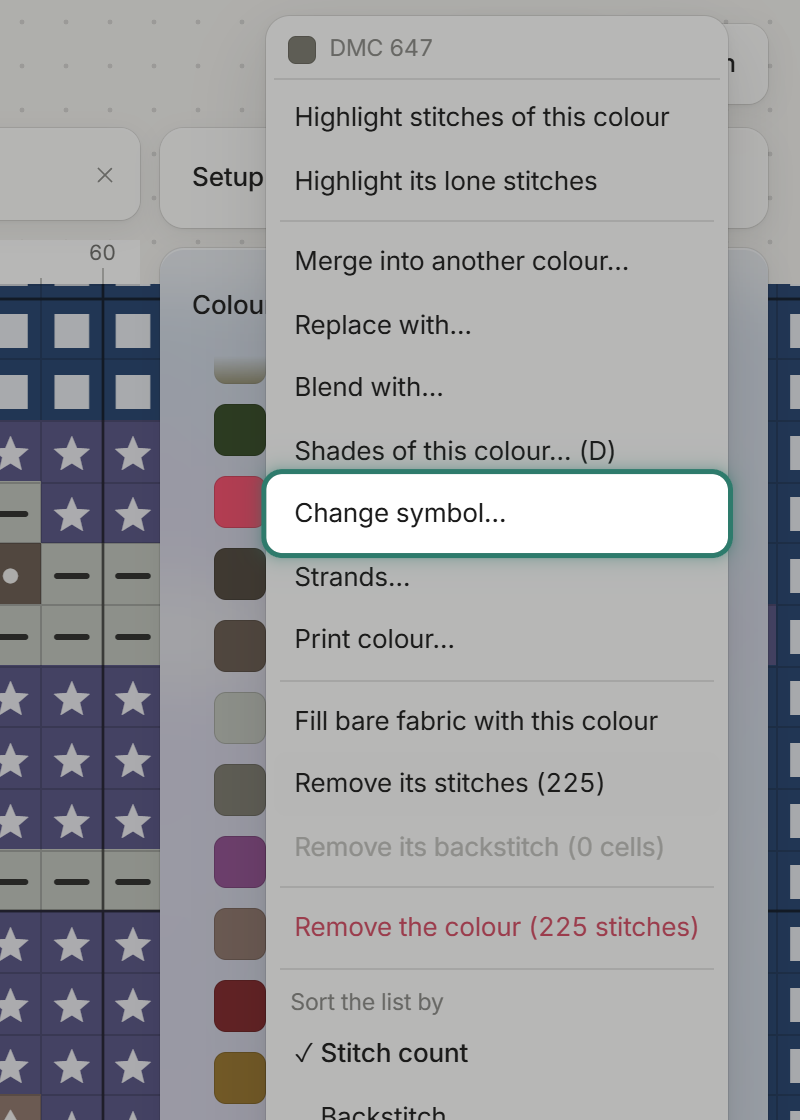
Point at a colour in the Colours list, click the dots at its right end, and choose "Change symbol…".
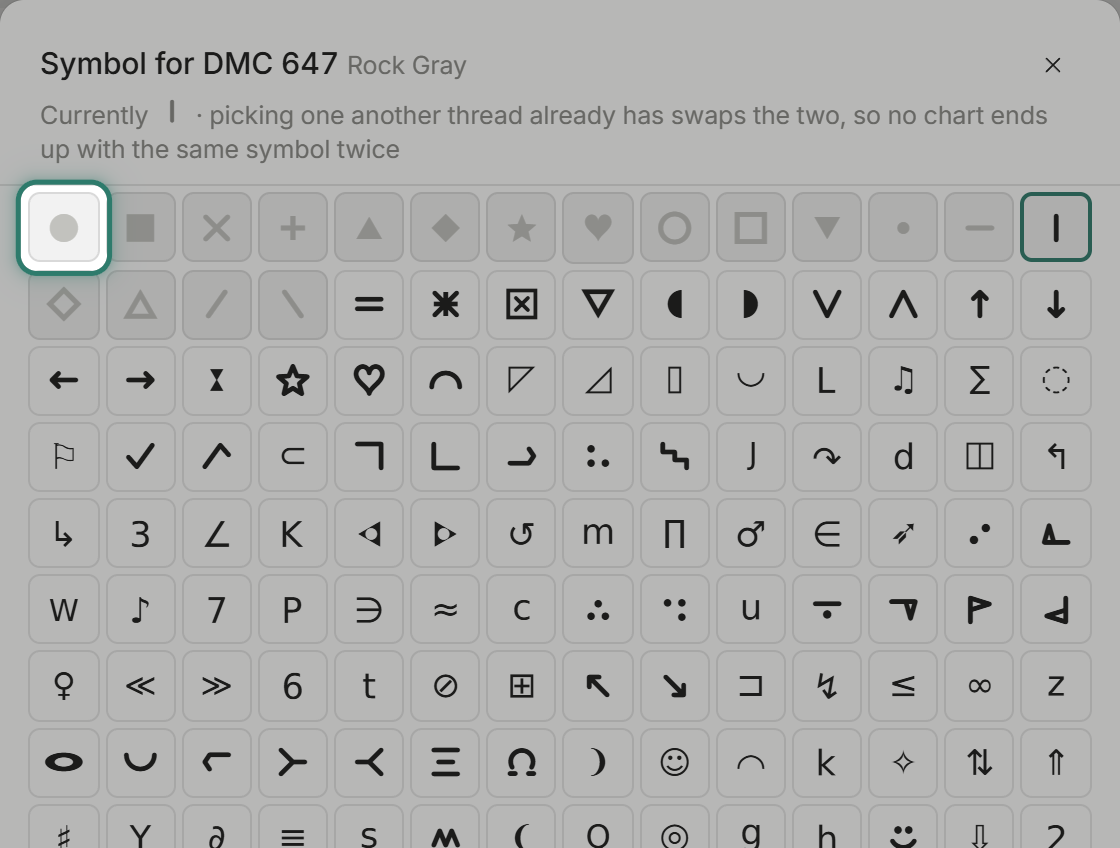
The box shows 555 symbols. Picking one that another thread already uses swaps the two, so no chart ends up with the same symbol twice.
Highlight one colour
If you have the pattern open in the editor while you stitch, it can show you exactly where a colour sits. This is free too.
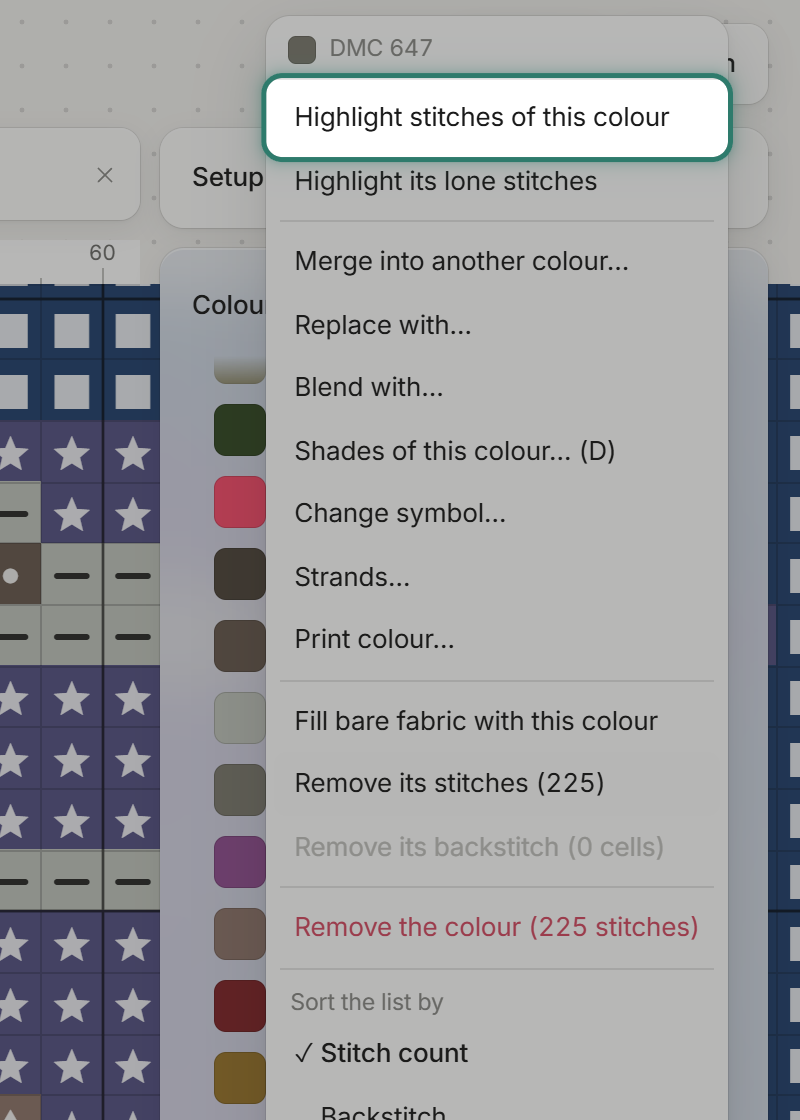
In the same row menu, choose "Highlight stitches of this colour".
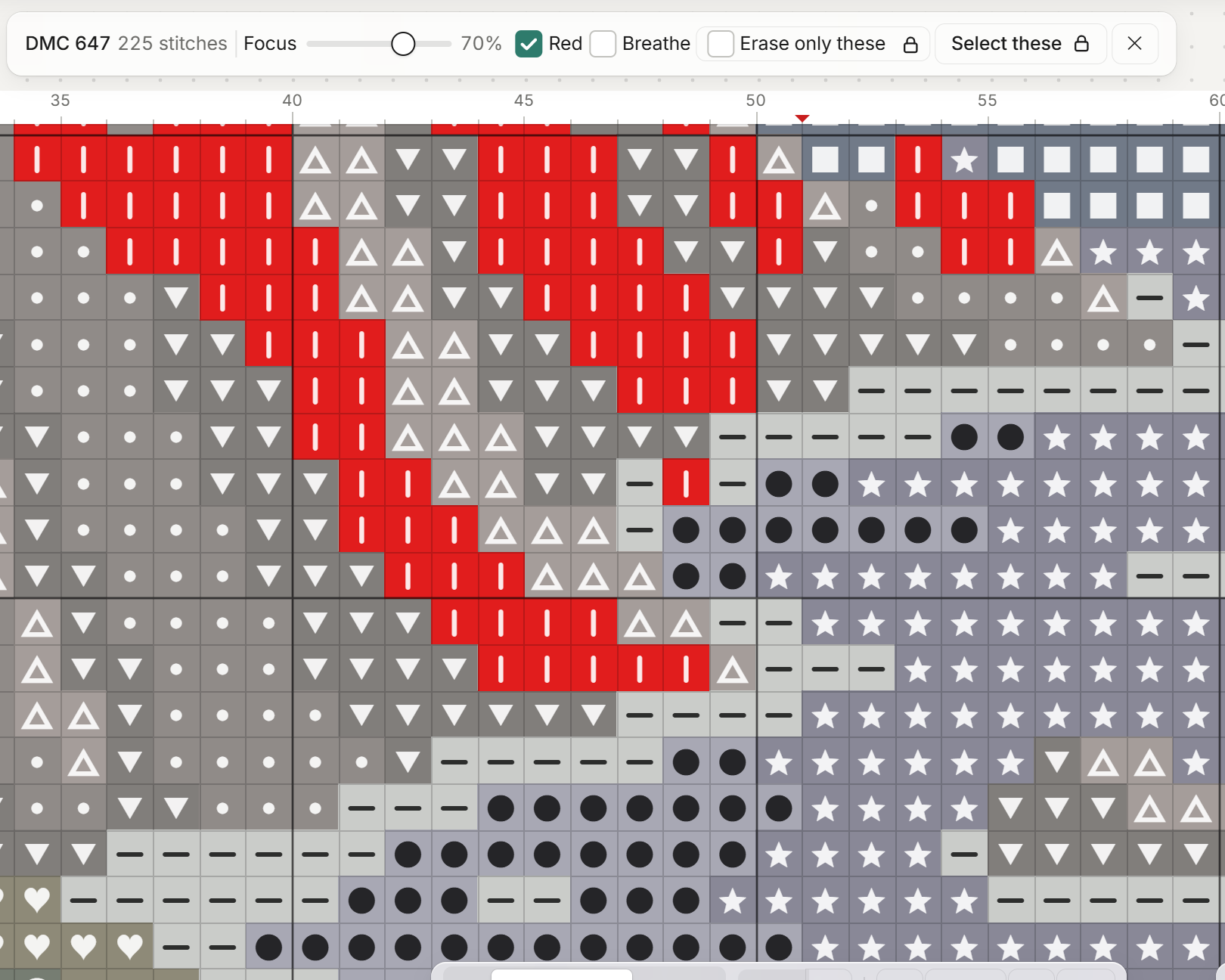
Every stitch of that colour turns red and the rest of the chart fades.
Common questions
Why do some patterns use symbols that look alike? Often the pairs differ only by direction or a filled half, and nobody checked them at print size. Preferred symbols does that check for you.
Can two colours share one symbol? It should never happen, but stitchers do find charts like that. In FellowStitch, picking a symbol another colour uses swaps the two, so two colours never share one.
How do I read a chart with similar symbols? Check it in B&W, and light up one colour at a time with "Highlight stitches of this colour". If it is your own pattern, Preferred symbols (Studio) replaces the whole set.
Start stitching
Open a pattern in the editor and switch to B&W to check your symbols. Printing needs a free account. Your first 3 patterns print at no cost, then 10 credits each.